
The magnetic timeline, and who it suits
Final Cut Pro is Apple's professional editor, and its defining idea is the magnetic timeline: clips attach to each other instead of sitting on fixed tracks, so a trim ripples through the sequence rather than leaving a gap behind. Editors either find that freeing or spend a month fighting it, and which camp you land in predicts your experience here better than any feature list can.
It exists in two separately sold versions, for macOS and for iPad, and Apple updated both on 30 June 2026 (Final Cut Pro 12.3 on Mac and 3.3 on iPad), alongside Motion 6.3 and Compressor 5.3.
Mac owners who edit for a living
- Editors on Apple silicon who want fast timeline playback without assembling a PC around it
- Solo creators and small studios who would rather buy software once than rent it
- Anyone whose pipeline is already Apple, from ProRes to Photos to iCloud
- iPad-first editors who want a real timeline on a tablet and accept a subscription to get one
$299.99 once, $12.99 a month: which price applies to you
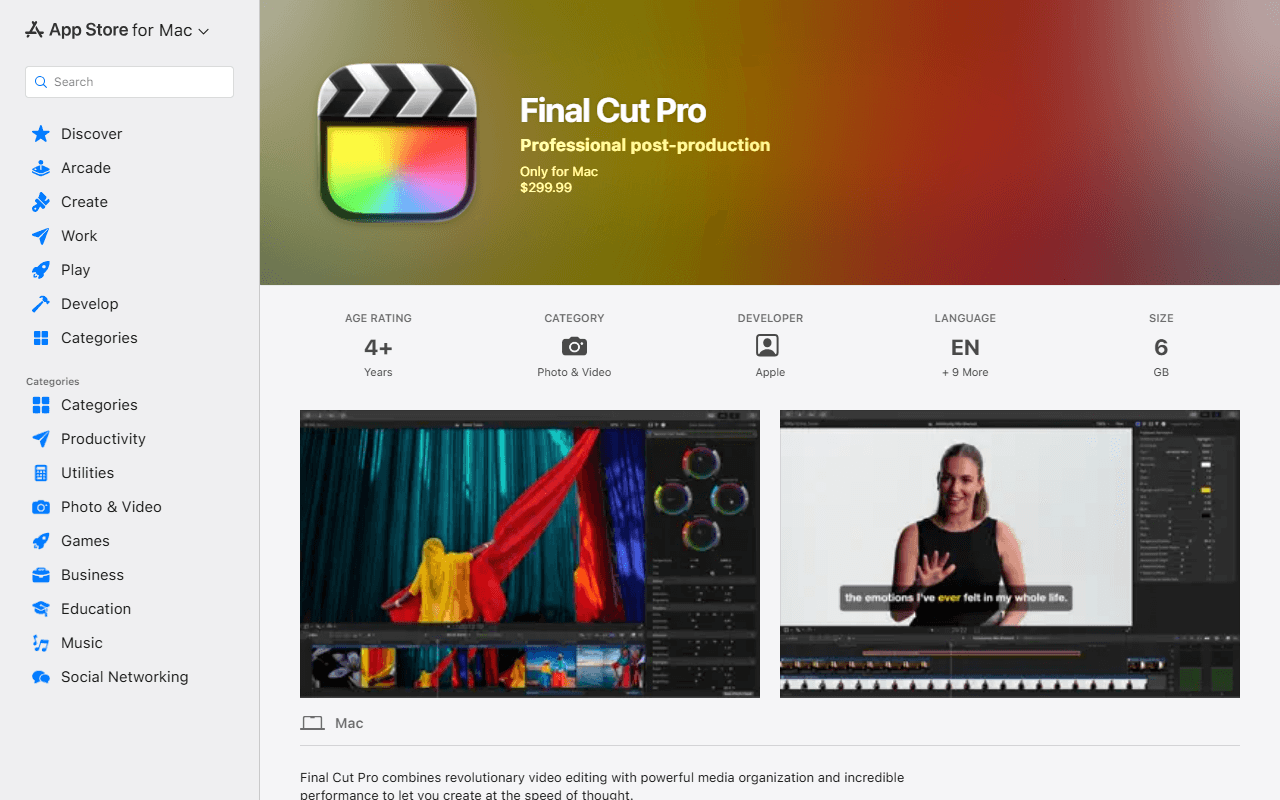
Final Cut Pro for Mac is a one-time purchase at $299.99 (as of July 2026). Motion and Compressor are still sold separately at $49.99 each, so the honest all-in figure for the Mac trio is $399.97, not the headline number.
The part most comparisons have not caught up with: Apple now sells a subscription too. Apple Creator Studio is $12.99 a month or $129 a year, $2.99 and $29.99 for students and educators, and it bundles Final Cut Pro, Logic Pro, Pixelmator Pro, Motion, Compressor and MainStage. Apple states that existing owners keep what they already bought, and that the standalone Mac apps remain available for one-time purchase and redownload.
On iPad there is no one-time option at all. Final Cut Pro for iPad is $12.99 a month or $129 a year through the same subscription.
Where the limits sit: one platform, three apps
The limit that decides most readers is the platform. Final Cut Pro runs on macOS 15.6 or later, or on iPadOS 18.6 or later with an M1 or later chip, an iPad (A16) or an iPad mini (A17 Pro). There is no Windows build and no Linux build, so for the majority of people searching for a free editor this is not an expensive option, it is not an option.
The second limit is the unbundling. Motion and Compressor are separate purchases at $49.99 each, so "$299.99 and you are done" holds only if you never need templates or a dedicated encoder.
The third is the Mac requirement underneath the OS requirement: macOS 15.6 rules out older machines, and Apple's own specs note that some features need Apple silicon even though Intel Macs are still supported.
Three figures every comparison still gets wrong
We checked all three on 31 July 2026, and all three are stale in the wild.
"Final Cut Pro has no subscription option." It does now. Apple Creator Studio is $12.99 a month or $129 a year and includes it.
"Final Cut Pro has a 90-day free trial." Gone. The old trial page serves Creator Studio messaging only, and the Apple Support article that described the trial now returns a 404. Today's trial is 30 days of the bundle, which starts an auto-renewing subscription.
"Final Cut Pro for iPad is $4.99 a month or $49 a year." Those were the May 2023 launch prices. They still appear as in-app-purchase entries on the App Store listing, which is exactly why they keep being republished, while Apple's iPad product page quotes $12.99 a month or $129 a year.
Buy it outright, or do not buy into it at all
If you are on a Mac, you edit regularly, and you dislike renting software, Final Cut Pro at $299.99 is one of the few places left where you can buy an editor and keep it, and Capterra reviewers put it at 4.7 out of 5 across 142 reviews (read 31 July 2026). If you are on Windows or Linux, it is not available to you at any price. And if the point is to spend nothing, start with the free video editors we ranked or with the free alternatives to Final Cut Pro, where DaVinci Resolve's free build is the closest thing to this ceiling without a card payment.
Reader reviews
What people who actually use Final Cut Pro think of it.
No reviews of Final Cut Pro yet. If you have used it, yours would be the first.
The useful part is the specifics: what you used it for, and where it got in your way.
Loading...