

Discover honest, community-driven software alternatives. Learn about our mission

iMovie logo

iMovie review

Apple's free editor for Mac, iPhone and iPad: 4K export, no watermark, no paid tier, and no version for anything that is not Apple hardware.

Facts checked July 2026

Visit iMovieSee alternatives
apps.apple.com
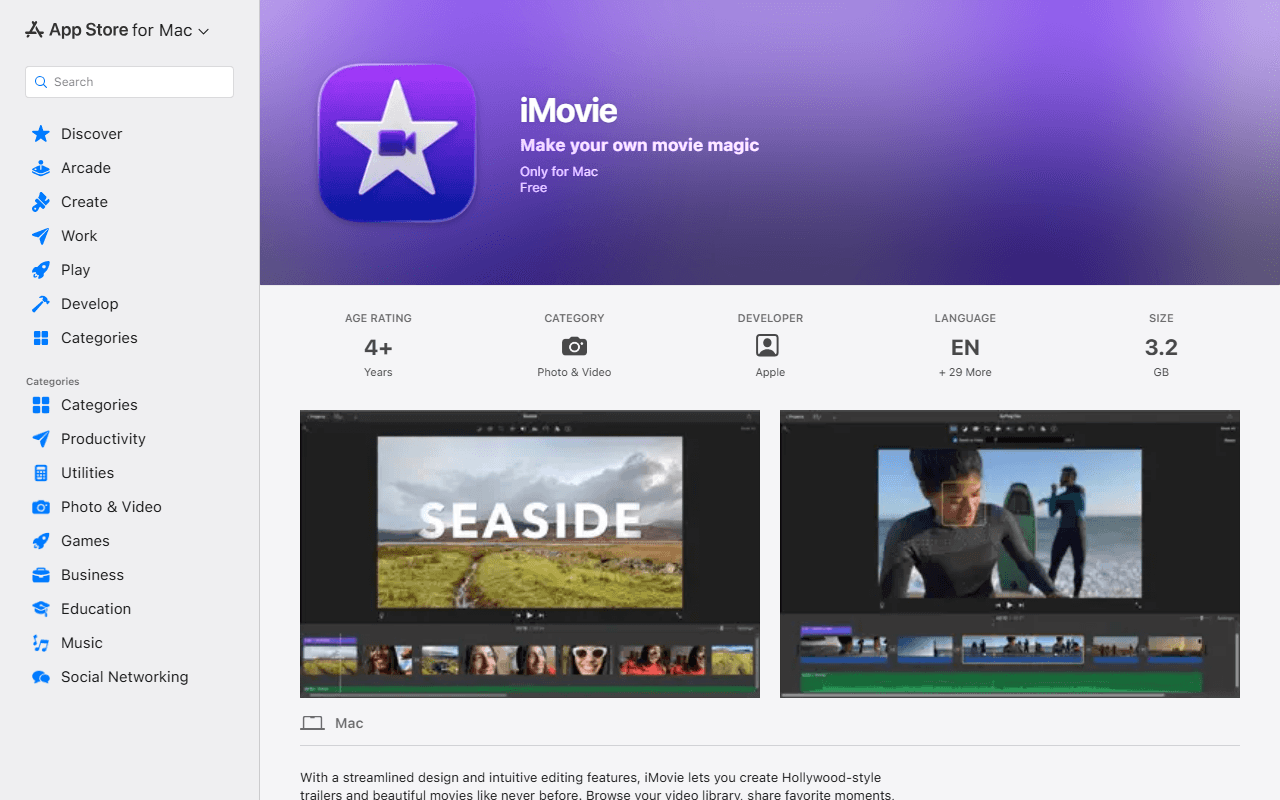
iMovie homepage screenshot

iMovie at a glance

Free plan
Completely free
Free plan score
61/100Usable
Starting price
Free
Open source
Proprietary
Based in
United States
Company
Apple Inc.

Our take

iMovie is free, current on the Mac as of January 2026, and the right first thing to open if you already own Apple hardware. It exports up to 4K with no watermark and no paid tier, but it needs macOS 15.6 or later, and the iPhone and iPad build has not shipped since December 2024.

Already on your Mac, and still updated in 2026

iMovie is Apple's free video editor for Mac, iPhone and iPad. You get a timeline, titles, transitions, filters and 29 trailer templates, and projects hand off between devices, so a Magic Movie or Storyboard started on an iPhone opens in the Mac timeline. It is distributed through the App Store rather than as a download from apple.com. Apple has retired the iMovie marketing page entirely, and apple.com/imovie now redirects to a support hub, which is why we link the App Store listing.

The most repeated fact about iMovie is that Apple has left it to rot, and for the Mac that is wrong. Apple's own lookup API dates version 10.4.4 to 28 January 2026. The App Store web page prints it as "Jan 28" with no year, which is where the mistake comes from. The iPhone and iPad build is a different story, and it gets its own section below.

In use it is the least intimidating editor in this category. No node graph, no scopes, no render queue. You trim, you drag, you export.

Mac owners who want to finish a video tonight

  • Anyone with a Mac who needs a clean cut of a family video, a lecture or a talking head
  • iPhone shooters who want to start on the phone and finish on a bigger screen
  • People stepping up from Photos who have no interest in learning a professional interface
  • Anyone on Apple hardware working through the free options before considering Final Cut Pro

Free with no in-app purchases, and no price above it

iMovie costs nothing and there is no paid tier to climb into (as of July 2026). Apple's lookup API reports a price of 0.00 and no in-app purchases on both the Mac and the iOS listings, read on 31 July 2026. There is no watermark, no export cap, no project limit and no subscription, and the only account involved is the Apple Account the App Store already asks for.

The old arrangement where iLife apps were free only with a qualifying new Mac no longer applies. Anyone running a supported OS can install it at no cost. Apple's paid step up is Final Cut Pro, which is a separate purchase and a separate application.

macOS 15.6 is the limit, not your wallet

The gate is the operating system. The current Mac build needs macOS 15.6 or later, 4 GB of memory and 3.5 GB of available disk (as of July 2026), and the download itself is about 3.2 GB. In practice a machine that can run macOS 15.6 is a 2019-or-later Mac, so an older Mac is shut out even though the software costs nothing.

The bigger limit is the hardware. iMovie exists only on Apple devices, with no Windows, Linux, Android or browser version, so for most people reading a list of free video editors it is not an option at all.

Export tops out at 4K, which Apple states on the Mac App Store listing alongside 1080p HD at 60 frames per second. We tried three times to read Apple's own enumeration of the export resolution menu and could not, so we are not publishing pixel dimensions or frame rates beyond what the listing says.

One app, two builds, nineteen months apart

The Mac build and the iPhone build are separate App Store listings on very different cadences. Mac is at 10.4.4, dated 28 January 2026, with release notes reading "Includes stability and performance improvements". iOS and iPadOS are at 3.0.5, dated 16 December 2024, roughly nineteen and a half months old as of 31 July 2026 and past the point where we flag a project on this site.

We are reporting dates, not Apple's intentions. The mobile app still installs on iOS or iPadOS 17.6 and later and still works. It simply has not been touched in a year and a half, which is worth knowing before the phone becomes the place you edit.

Start here if you own a Mac, then decide

If you own a Mac, iMovie is the right first thing to open: free, current as of January 2026, and easier than everything else in this category. It stops hard at the edge of Apple hardware, so it is no answer at all on Windows or Linux, and the phone build has not shipped since December 2024. When you outgrow it, the honest next step is a free cross-platform editor rather than a paid upgrade, and our free video editors list ranks those in order.

What iMovie offers

  • Multi-track timeline
  • 4K export
  • Watermark-free exports

Not included

  • Colour grading
  • Motion tracking
  • Audio mixing
  • Subtitles and captions
  • Proxy editing
  • Hardware acceleration
  • Windows, macOS and Linux
  • Open source
  • Works in the browser

iMovie plans and pricing

Free on the Mac App Store and the iOS App Store with no in-app purchases, no watermark, no export cap and no subscription. The only gate is the operating system version, not a purchase

There is no paid tier, no upgrade and no subscription for iMovie. Apple's paid step up is Final Cut Pro, a separate product. Apple's own lookup API reports a price of 0.00 and no in-app purchases on both the macOS and the iOS listings (read 31 July 2026), so the old arrangement where iLife apps were free only with a qualifying new Mac no longer applies. Apple has retired the iMovie marketing page: apple.com/imovie now returns a 301 to a support hub, which is why we link the Mac App Store listing instead

iMovie

Free

The full editor on Mac, iPhone and iPad, exporting up to 4K, with 29 trailer templates and project handoff between devices

Mac needs macOS 15.6 or later, 4 GB of memory and 3.5 GB of available disk; iPhone and iPad need iOS or iPadOS 17.6 or later. There is no Windows, Linux, Android or web version

As of July 2026. Check current pricing on the iMovie pricing page.

iMovie's free plan score

How good iMovie's free plan really is, judged on four things and weighted into one number.

61/100

Usable

Genuinely free and genuinely 4K, and only if you already own the Mac.

Free plan generosity

74/100

Feature depth for the category

48/100

Freedom and honesty

66/100

What free users report

50/100

Scored July 2026. How we calculate the free plan score.

Frequently asked questions about iMovie

Is iMovie free, or only free if you bought a Mac recently?

It is free for anyone on a supported OS, with no purchase condition. Apple's own lookup API reports a price of 0.00 and no in-app purchases on both the macOS and iOS listings (read 31 July 2026). The old rule where iLife apps came free only with a qualifying new Mac no longer applies, so the gate is the operating system version rather than when you bought the machine.

Has iMovie for Mac been abandoned?

No. Version 10.4.4 is dated 28 January 2026 per Apple's lookup API, with release notes reading "Includes stability and performance improvements". The confusion comes from the Mac App Store web page, which prints that date as "Jan 28" with no year and reads naturally as 2025. The listing's macOS 15.6 minimum could not have existed in January 2025, which is a second check on the date.

Is the iPhone version as current as the Mac version?

No, and this is the one maintenance flag on iMovie. The iOS and iPadOS build is at 3.0.5, dated 16 December 2024, which is about nineteen and a half months old as of 31 July 2026. The Mac build shipped in January 2026. They are separate App Store listings on very different cadences, so a workflow built on the phone app is resting on the older half.

Can I run iMovie on Windows or Linux?

No. iMovie exists only on macOS, iPhone and iPad, and Apple publishes no Windows, Linux, Android or browser version (as of July 2026). If you are not on Apple hardware there is no path to it at all, so look at Kdenlive, Shotcut or DaVinci Resolve instead.

What resolution does iMovie export?

Up to 4K. Apple's Mac App Store description says you can "Edit movies at up to 4K resolution with video from iPhone 6s or later, GoPro, and other Ultra HD cameras", plus 1080p HD at 60 frames per second. We could not read Apple's own enumeration of the export resolution menu, so we are not publishing pixel dimensions or frame rates beyond what that listing states.

Latest iMovie news

Changes that affect what you get for free: pricing, free plan limits, ownership, and whether the project is still maintained. Not every release.

We have not checked iMovie's announcements yet. When we do, anything that changes the free plan or the price will show up here.

Reader reviews

What people who actually use iMovie think of it.

No reviews of iMovie yet. If you have used it, yours would be the first.

The useful part is the specifics: what you used it for, and where it got in your way.

Loading...