Discover honest, community-driven software alternatives. Learn about our mission

Microsoft Forms logo

Microsoft Forms review

Create surveys, polls, and quizzes with AI-assisted design and deep Microsoft 365 integration.

Facts checked July 2026

Visit Microsoft FormsSee alternatives
forms.office.com
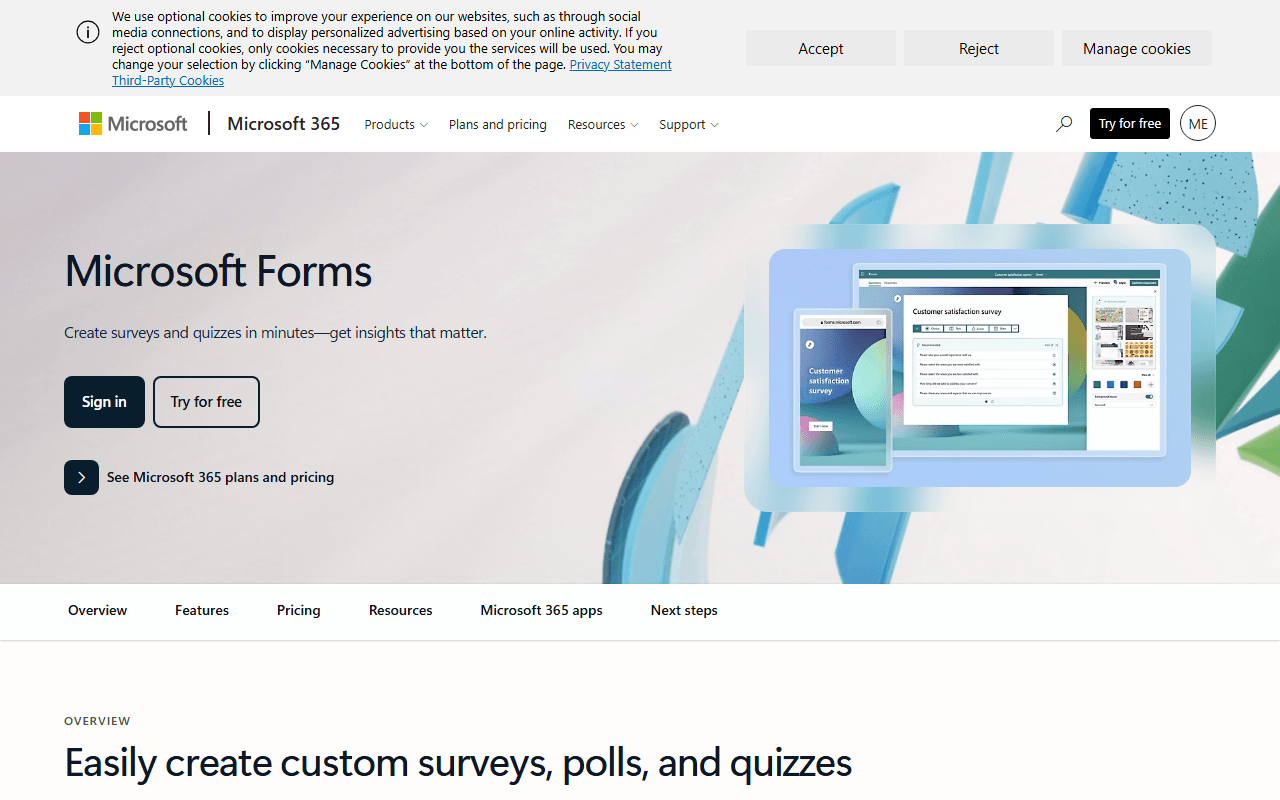
Microsoft Forms homepage screenshot

Microsoft Forms at a glance

Free plan
Yes
Free plan score
61/100Usable
Starting price
$7/month
Company
Microsoft
Founded
1975

Our take

Microsoft Forms shines for Microsoft 365 users, though personal accounts face tighter response limits than work tenants.

Microsoft's answer to Google Forms, wired into Teams

Microsoft Forms is Microsoft's cloud-based tool for creating surveys, quizzes, and polls. You build forms in a browser, share links or embed them in Teams, and view responses with built-in charts and Excel export.

Made for people who already pay for Microsoft 365

  • Teams already using Microsoft 365 who need quick feedback collection
  • Educators running quizzes and knowledge checks
  • Businesses wanting Teams polls, SharePoint embedding, and Power Automate workflows

Free with any Microsoft account, priced only as part of 365

Microsoft Forms is free with a personal Microsoft account. It is included with Microsoft 365 business and education plans. There is no standalone Forms purchase. Response limits vary by account type (personal vs. work/school).

200 questions per form, and a response limit tied to your account

  • Personal accounts have much lower response caps than Microsoft 365 tenants
  • Advanced branding and deeper analytics may require Dynamics 365 Customer Voice
  • Some features vary by plan or government cloud environment
  • Each form is capped at 200 questions

Fine inside Microsoft 365, thin everywhere else

If your organization already runs on Microsoft 365, Forms is the path of least resistance: it is paid for already, it drops into Teams, and Power Automate can route whatever it collects. Outside that tenant it is the weaker tool, with 200 questions per form and a response cap that changes depending on whether your account is personal, work, or school. We would not pick it as a standalone product for anyone. If you want something that does not assume a Microsoft login, the free Microsoft Forms alternatives are the place to look.

What Microsoft Forms offers

  • App integrations
  • Analytics
  • Quizzes & scoring

Not included

  • Unlimited free tier
  • Conditional logic
  • Payment collection
  • E-signatures
  • Custom branding
  • Scheduling
  • File uploads

Microsoft Forms plans and pricing

Free with a personal Microsoft account; response caps are lower than on Microsoft 365 work and school plans

There is no standalone Forms purchase. Forms is included with Microsoft 365 plans; Business Basic costs $7 per user per month with an annual subscription

As of July 2026. Check current pricing on the Microsoft Forms pricing page.

Microsoft Forms's free plan score

How good Microsoft Forms's free plan really is, judged on four things and weighted into one number.

61/100

Usable

Free with any Microsoft account, and most useful if someone is already paying for Microsoft 365.

Free plan generosity

70/100

Feature depth for the category

44/100

Freedom and honesty

72/100

What free users report

55/100

Scored July 2026. How we calculate the free plan score.

Frequently asked questions about Microsoft Forms

How many responses does the free version allow?

It depends on which account you sign in with, and we have not recorded the personal-account figure. What our data does hold is that a personal Microsoft account sits well below what a Microsoft 365 work or school tenant gets (as of July 2026). If the answers matter, field the survey from a tenant.

Can Microsoft Forms take payments or signatures?

Neither (as of July 2026). Forms covers surveys, quizzes and polls and stops there. forms.app, Tally and Fillout all include payments on their free plans if one form has to do both jobs.

What can I connect Microsoft Forms to?

Teams, SharePoint and Power Automate, which is the real argument for using it. You share or embed the form in Teams, read results as built-in charts, export to Excel, and route submissions into a workflow with Power Automate (as of July 2026).

Would you pick Microsoft Forms if you did not already use Microsoft 365?

No. Outside the tenant it is the weaker tool: 200 questions per form, minimal branding control, and a response cap that changes with your account type (as of July 2026). Inside Microsoft 365 it is the path of least resistance and somebody is already paying for it.

Latest Microsoft Forms news

Changes that affect what you get for free: pricing, free plan limits, ownership, and whether the project is still maintained. Not every release.

We have not checked Microsoft Forms's announcements yet. When we do, anything that changes the free plan or the price will show up here.

Reader reviews

What people who actually use Microsoft Forms think of it.

No reviews of Microsoft Forms yet. If you have used it, yours would be the first.

The useful part is the specifics: what you used it for, and where it got in your way.

Loading...