
Discover honest, community-driven software alternatives. Learn about our mission

OpenShot logo

OpenShot review

A deliberately simple GPL-3.0 video editor with no account, no export cap and no paid tier, held back by documented stability bugs.

Facts checked July 2026

Visit OpenShotSee alternatives
openshot.org
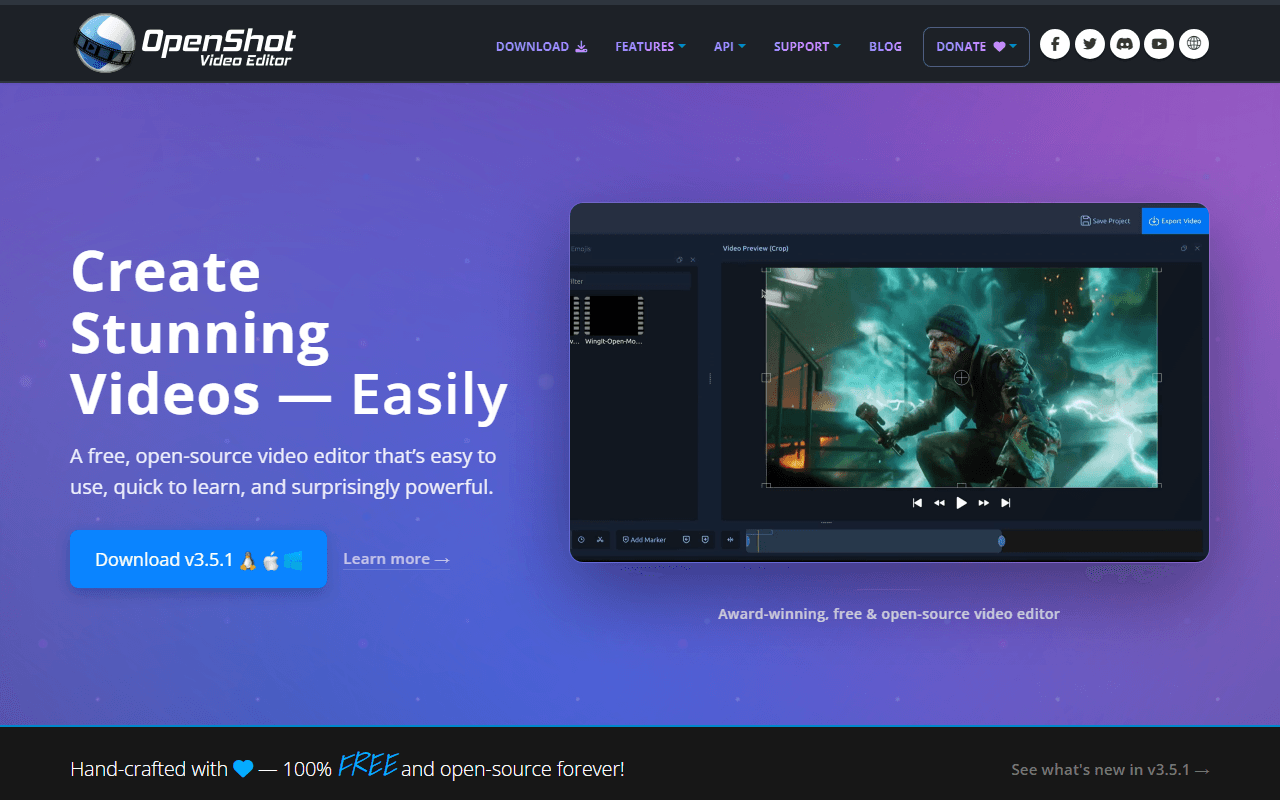
OpenShot homepage screenshot

OpenShot at a glance

Free plan
Completely free
Free plan score
77/100Strong
Starting price
Free
Open source
GPL-3.0-only
Based in
United States
Company
OpenShot Studios, LLC

Our take

OpenShot is a genuinely free GPL-3.0 editor with no account, no watermark and no export cap, and it is not abandoned: 3.5.1 shipped in April 2026. The catch is stability, documented by the project itself, including a Windows 11 freeze triggered by Ctrl+C.

A simple timeline that shipped again in April 2026

OpenShot is a desktop video editor from OpenShot Studios, LLC in Rockwall, Texas, and the project has been going since 2008. You get a timeline, keyframes, transitions, titles and video effects, installed as an application on Windows, macOS, Linux or Chrome OS. There is no web version and no mobile version.

Two things about it are commonly reported wrong. It is not abandoned: version 3.5.1 shipped on 8 April 2026, after 3.5.0 in March 2026 and 3.4.0 in December 2025. And the download is not gated behind a donation ask. The platform buttons on openshot.org sit above the donate block and link straight at the GitHub release binaries.

What it feels like in use is deliberately small. Next to Kdenlive or Shotcut there are fewer panels, fewer options and a shorter first hour. That is the appeal, and it is also why heavier work outgrows it.

The people who want a timeline and nothing else

  • Anyone cutting a short video who does not want to learn a professional interface
  • Linux and Chrome OS users, where the field of installable editors is thinner
  • Teachers, students and hobbyists who need titles, transitions and an export, not colour science
  • People who want a GPL-3.0 tool with no account and no usage meter anywhere in it

No price, no tiers, and a donate block below the download

OpenShot is free under GPL-3.0-only, for personal and commercial use, and there is nothing to buy (as of July 2026). No account, no sign-in, no export cap, no watermark, no time limit, no feature held back. The download page states the model in its own words: "OpenShot is funded by users, not licenses."

The donate page offers monthly amounts of $5, $10 or $20 and one-time amounts of $5, $15 or $25, with a $5 minimum on the custom field (as of July 2026). Nothing is unlocked by donating, and the block sits below the platform download buttons rather than in front of them.

The Ctrl+C freeze, and the limits of a small project

The honest catch is stability, and OpenShot's own documentation is where we get it. The user guide's troubleshooting page carries a section headed "Windows 11 Unresponsive" which reads: "If you experience a freeze on Windows 11, this is a known issue with PyQt5 and Windows 11, related to the accessibility features in Qt. This is triggered by pressing Ctrl+C in OpenShot." The guide describes an accompanying memory leak that worsens until the application crashes, and what it offers is a workaround rather than a fix: avoid Ctrl+C on Windows 11, use the right-click copy and paste menus, or remap the shortcut in Preferences. The same guide carries a full GDB debugging walkthrough for users hitting crashes on Windows 10 and 11.

Playback is the second limit. Version 3.5.1 added an "Optimize Video" proxy mode, which tells you plainly that large source files need proxies before the timeline is comfortable to work in.

Release cadence is the third. There was roughly a twelve-month gap between 3.3.0 in December 2024 and 3.4.0 in December 2025, and it has picked up since. If you are waiting on a fix, you may be waiting a while.

Where the 4.3 comes from, and what it leaves out

OpenShot holds 4.3 out of 5 on Capterra from 176 reviews (read 31 July 2026). We could not read G2 or Trustpilot for any tool in this category; both returned 403 to every request, so we publish neither rather than quote a number we did not load. One thing worth knowing about the Capterra sample: instability and audio bugs are the most common complaint inside otherwise positive reviews, which lines up exactly with what the project documents about itself.

Would we install it? On Linux or Chrome OS, yes

If you want a free editor you can learn in an afternoon, OpenShot is a fair first install, and on Linux or Chrome OS it is one of the few genuinely simple options with an official build. On Windows 11 we would read the freeze note first and change the Copy shortcut before starting anything long. If it starts feeling fragile, Shotcut and Kdenlive do the same job with more headroom and no documented shortcut bug, and both sit above OpenShot on our free video editors list.

What OpenShot offers

  • Multi-track timeline
  • Watermark-free exports
  • Proxy editing
  • Windows, macOS and Linux
  • Open source

Not included

  • 4K export
  • Colour grading
  • Motion tracking
  • Audio mixing
  • Subtitles and captions
  • Hardware acceleration
  • Works in the browser

OpenShot plans and pricing

Completely free under GPL-3.0-only, for personal and commercial use. No account, no sign-in, no export cap, no watermark, no time limit and no feature held back for a paid build

There is no paid tier and nothing is unlocked by paying. OpenShot Studios takes donations (monthly $5, $10 or $20, or one-time $5, $15 or $25, with a $5 minimum on the custom field, as of July 2026), and the donate block sits below the platform download buttons rather than in front of them. The download page states the model in its own words: "OpenShot is funded by users, not licenses."

OpenShot

Free

The whole editor on Windows, macOS, Linux and Chrome OS, with timeline editing, keyframes, transitions, titles and video effects

You supply the machine. Large source files need the Optimize Video proxy mode added in 3.5.1 before playback is comfortable, and the project's user guide documents a Windows 11 freeze with a workaround rather than a fix

As of July 2026. Check current pricing on the OpenShot pricing page.

OpenShot's free plan score

How good OpenShot's free plan really is, judged on four things and weighted into one number.

77/100

Strong

Nothing withheld and nothing to pay, on a project that documents its own crashes.

Free plan generosity

94/100

Feature depth for the category

56/100

Freedom and honesty

94/100

What free users report

58/100

Scored July 2026. How we calculate the free plan score.

Frequently asked questions about OpenShot

Do I have to donate before I can download OpenShot?

No. The platform download buttons on openshot.org sit above the donation block and link straight at the GitHub release binaries, with no interstitial and no pay-what-you-want screen (checked 31 July 2026). Donations are optional and unlock nothing, and the download page says the project is "funded by users, not licenses".

Is OpenShot abandoned?

No. Version 3.5.1 was released on 8 April 2026, after 3.5.0 in March 2026 and 3.4.0 in December 2025. Cadence has been uneven, with roughly a twelve-month gap between 3.3.0 in December 2024 and 3.4.0, but the project is shipping (as of July 2026).

Does OpenShot freeze on Windows 11?

It can, and OpenShot documents it. The official user guide describes a known Windows 11 freeze triggered by pressing Ctrl+C, caused by an interaction between PyQt5 and Windows 11 accessibility features, plus an accompanying memory leak that worsens until the application crashes. The published fix is a workaround: use right-click copy and paste, or remap the Copy shortcut in Preferences.

Can I use OpenShot for paid client work?

Yes. OpenShot is licensed GPL-3.0-only, which places no restriction on commercial use of the videos you make with it. There is no separate commercial licence to buy and no clause reserving the free build for personal use (as of July 2026).

Does OpenShot run on a Chromebook?

Yes, through a Chrome OS AppImage listed on the download page alongside the Linux, macOS and Windows builds (as of July 2026). It requires an x86_64 CPU, so ARM-based Chromebooks are out. The macOS build is described only as a 64-bit DMG compatible with 10.15 and later; we could not confirm whether it is Apple Silicon native.

Latest OpenShot news

Changes that affect what you get for free: pricing, free plan limits, ownership, and whether the project is still maintained. Not every release.

We checked OpenShot's own blog, changelog and release notes in July 2026 and found nothing that changes the picture above.

Reader reviews

What people who actually use OpenShot think of it.

No reviews of OpenShot yet. If you have used it, yours would be the first.

The useful part is the specifics: what you used it for, and where it got in your way.

Loading...