
Discover honest, community-driven software alternatives. Learn about our mission

Screenity logo

Screenity review

Free, privacy-friendly Chrome extension for unlimited screen recording with drawing, blur, and cursor spotlight.

Facts checked July 2026

Visit ScreenitySee alternatives
screenity.io
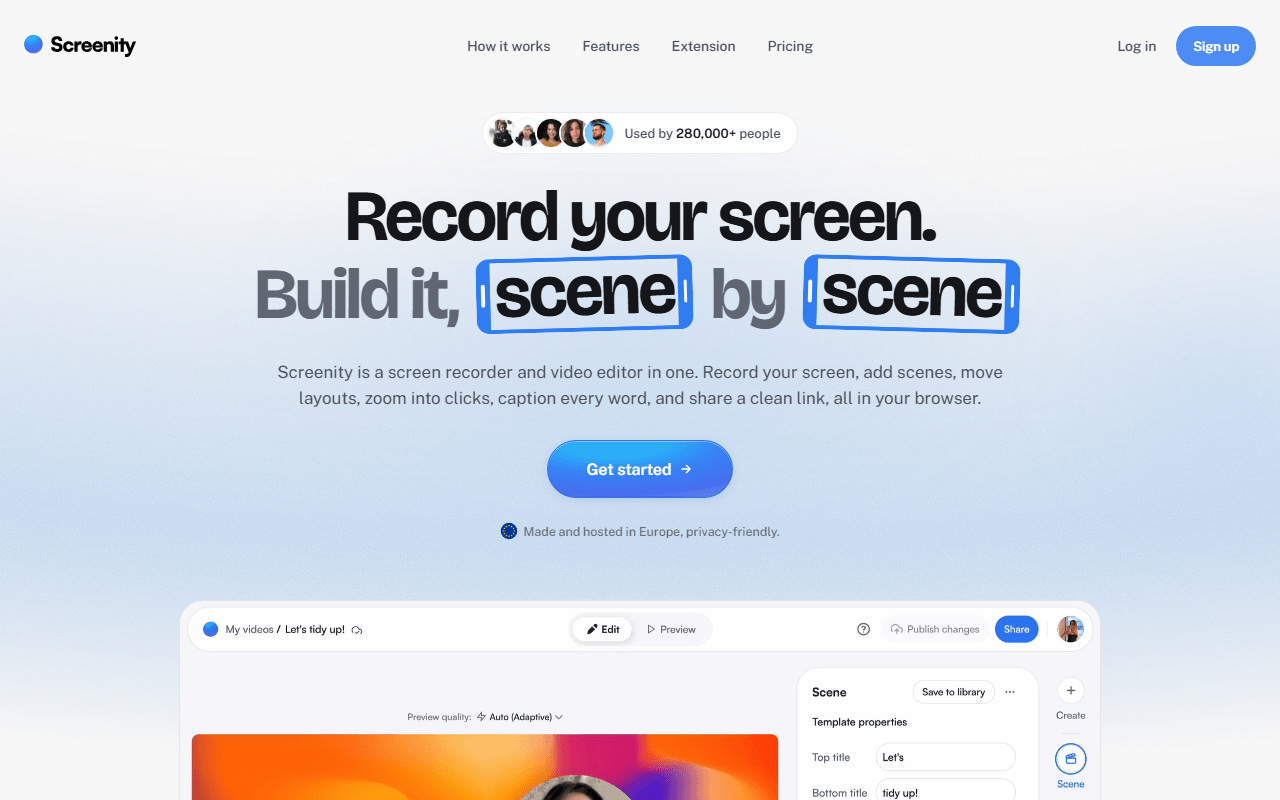
Screenity homepage screenshot

Screenity at a glance

Free plan
Yes
Free plan score
78/100Strong
Starting price
$10/month
Open source
GPL-3.0
Company
Screenity

Our take

The best free option if you record inside the browser and want to draw on the screen while you talk, as long as you are happy handing over a file instead of a link.

A Chrome extension you can draw on mid-recording

Screenity is a GPL-3.0 Chrome extension that records your screen, a single tab, an app window, or just your camera. It asks for no account and imposes no time limit, because the recording is written to your own machine instead of someone's servers.

What separates it from every other free recorder is what you can do mid-take. You can draw on the screen while recording, drop arrows, shapes and text, blur a region live so a customer's email address never reaches the file, and spotlight the cursor with visible click ripples. For teaching and bug reports, that is the difference between a video someone has to squint at and one they can follow.

Anyone who has to point at the screen while talking

  • Teachers, support agents, and anyone explaining an interface step by step
  • Bug reports and QA, where drawing on the problem beats describing it
  • Recording anything with sensitive data on screen, thanks to live blur
  • People who want zero accounts and zero uploads

The extension is free forever and unlimited, as of July 2026: unlimited recordings of any length, all the annotation tools, live blur, cursor spotlight, system and microphone audio, an auto-stop timer, and instant mode. Nothing in the extension itself is paywalled.

The one thing free does not do is sharing. Screenity Pro, a separate hosted service, costs $10 per month or $120 per year (about 29% less annually) and adds scene-based editing, auto-zoom on clicks, transcription with word-by-word captions, animated layouts, EU-hosted share links, and unlimited 1080p MP4 exports, with recordings capped at 1 hour. There is a 7-day trial.

Chrome only, and a limit that is really a missing step

  • No free share links, so the free workflow ends with a file you have to send somewhere yourself
  • Chrome only. No Firefox or Safari build
  • Long recordings live in browser storage, which is more fragile than a desktop app writing to disk
  • The free editor is basic trimming, not the multi-scene editing Pro adds
  • Being an extension, it cannot capture things Chrome cannot see as cleanly as a native app can

Our call on Screenity, and when the $10 is worth it

If your recordings are demos, walkthroughs, and bug reports, and you want to mark things up while you talk, Screenity gives you more for free than anything else here. Its honest limitation is that it stops one step short of Loom's actual value: you get the video, not the link. Pair it with any file host and it costs nothing, or pay $10 a month for Pro if the link is the part you actually needed.

What Screenity offers

  • Screen recording
  • Webcam overlay
  • Editing & trimming
  • Cloud hosting & share links
  • Transcription & captions
  • Local-only recording
  • Annotation & drawing

Not included

  • Self-hosting
  • Live streaming
  • GIF export

Screenity plans and pricing

The Chrome extension is free forever: unlimited local recordings of any length, annotation, live blur, cursor spotlight, and system plus microphone audio

Screenity Pro is $120 per year (about 29% below monthly billing). Self-hosting the extension from source runs it in local-only mode with no sign-in and no API calls.

Free extension

Free

Screen, tab, app, and camera recording, drawing tools, live blur, cursor spotlight with ripples, auto-stop timer, instant mode

No recording limits; sharing links requires a paid account

Screenity Pro

$10/mo

Scene-based editing, click-triggered auto-zoom, transcription and word-by-word captions, animated layouts and callouts, EU-hosted link sharing, unlimited 1080p MP4 exports

Up to 1 hour per recording; 7-day free trial

As of July 2026. Check current pricing on the Screenity pricing page.

Screenity's free plan score

How good Screenity's free plan really is, judged on four things and weighted into one number.

78/100

Strong

Unlimited free recording with annotation nobody else gives away, minus the link.

Free plan generosity

86/100

Feature depth for the category

80/100

Freedom and honesty

90/100

What free users report

50/100

Scored July 2026. How we calculate the free plan score.

Frequently asked questions about Screenity

Does Screenity limit recording length?

The free extension does not. It advertises unlimited recordings for as long as you want, because the video is written to your own machine rather than uploaded. Screenity Pro's cloud recordings cap at 1 hour.

What is free and what needs Pro?

Everything inside the extension is free: recording, annotation, blur, camera, audio, timers. Sharing a link needs a paid Screenity Pro account, which is $10 per month or $120 per year as of July 2026.

Is Screenity private?

The free extension records locally. If you build and load it from source, it runs in local-only mode with no API calls, no sign-in, and no platform features at all. Pro's cloud is EU-hosted.

Does it work in browsers other than Chrome?

It is distributed on the Chrome Web Store and built as a Chrome extension. If you live in Firefox or Safari, this is not your tool.

Latest Screenity news

Changes that affect what you get for free: pricing, free plan limits, ownership, and whether the project is still maintained. Not every release.

We checked Screenity's own blog, changelog and release notes in July 2026 and found nothing that changes the picture above.

Reader reviews

What people who actually use Screenity think of it.

No reviews of Screenity yet. If you have used it, yours would be the first.

The useful part is the specifics: what you used it for, and where it got in your way.

Loading...