
Discover honest, community-driven software alternatives. Learn about our mission

VSDC logo

VSDC review

A Windows editor whose free build exports 4K and 8K with no watermark, licensed by its own Terms for personal and educational use only.

Facts checked July 2026

Visit VSDCSee alternatives
videosoftdev.com
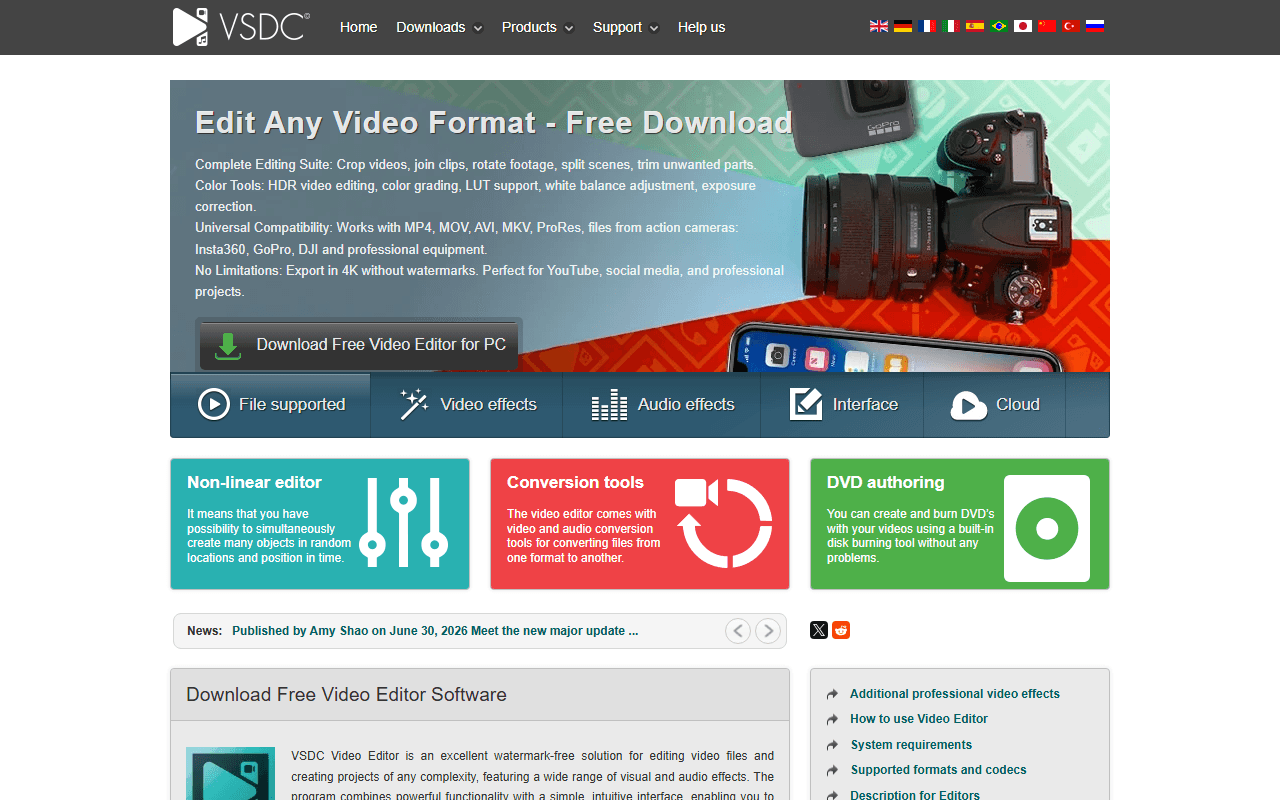
VSDC homepage screenshot

VSDC at a glance

Free plan
Yes
Free plan score
56/100Usable
Starting price
$19.99/year
Open source
Proprietary
Company
FLASH-INTEGRO LLC
Founded
2011

Our take

VSDC's free Windows build gives you 4K and 8K export with no watermark and no duration limit, which is more than almost anything else here. The catch is not a feature, it is the licence: the Terms restrict the free version to personal and educational use, so paid work needs Pro at USD 19.99 a year.

8K exports from a free Windows download

VSDC is a non-linear video editor for Windows from FLASH-INTEGRO LLC, on a project the company says it founded in 2011. The installer also brings a screen recorder, a video converter and a DVD burner, and the free and Pro builds are the same application unlocked by a licence rather than two separate downloads. The current version is 11.2, announced on 30 June 2026.

On the numbers the free build is unusually generous. VSDC's own comparison chart marks 8K and 4K UHD export as available on Free as well as Pro, and marks "No watermark" against both. The product page says the editor "imposes no limits on file size or duration and does not add watermarks", and that you can work at up to 8K and 120fps. No account is required to download it.

Then you read the Terms, and the shape of the product changes.

Windows users editing for themselves, not for clients

  • Windows users who want 4K or 8K output without a watermark and without paying
  • Hobbyists, students and anyone editing personal video rather than billable work
  • People who would rather have an editor, a screen recorder and a converter from one install
  • Anyone willing to trade export speed for a licence fee of zero

Free for personal use, Pro priced at $19.99 a year

This is the finding most roundups miss. VSDC's Terms and Conditions grant you the right to "Install and use the free version of the Product ... free of charge for personal and educational use", and grant commercial use only through the paid build: "Install and use the premium version of the Product, released under the brand VSDC Pro Video Editor, for personal and commercial use by purchasing a one-year subscription." However clean the export looks, the free build is not licensed for client work.

VSDC Pro is USD 19.99, valid for one year (as of July 2026). The figure is the vendor's own, but note where it lives. VSDC runs no conventional pricing page, the /comparison chart carries no price at all, and the $19.99 appears inside an editorial article on the company's own site. The checkout sits off-domain, is geo-localised, and offers optional auto-renewal.

Pro adds the commercial licence plus hardware acceleration, motion tracking, video stabilization, mask tools, HDR, 10-bit export, LUT export and inpainting. Colour correction, chroma key, multicam, movement and the LUT editor exist on Free at what the chart calls a Standard level and on Pro at an Advanced one.

Where the vendor's own site contradicts itself

VSDC's Terms describe Pro as "a one-year subscription". VSDC's FAQ, on the same domain, says "For commercial use, a one-time purchase of VSDC Pro is required". Those cannot both be true, and a reader who pays expecting a lifetime licence has a fair complaint. We follow the Terms because that is the binding document, and we would ask before paying.

One other thing needs reporting carefully. VSDC has a long-standing reputation for bundling adware at install, and its current FAQ denies it in these words: "Our installers are 100% clean, regularly scanned by major antivirus programs, and contain no malware, adware, or unwanted bundled software." We did not download or run the installer, so treat that as the vendor's denial and not as a finding of ours in either direction.

No hardware acceleration is the limit you feel

Hardware acceleration is Pro-only, per VSDC's own comparison chart. Free 4K and 8K exports therefore run on the CPU, so the headline resolution is real but slow. It is the free tier's most practical limit and the easiest one to miss, because it shows up as waiting rather than as a locked button.

The remaining Pro-only items are finishing tools: HDR, 10-bit export, LUT export, motion tracking, video stabilization, mask tools, inpainting algorithms and a handful of named effects.

And it is Windows only. There is no macOS build and no Linux build. VSDC does publish a separate iOS app, but that is a different product and we have not verified its terms or its limits. VSDC also publishes no company address anywhere on its site, which is why our page shows no headquarters for it.

Our call on VSDC: fine until money changes hands

On Windows, editing your own footage, VSDC hands you more resolution for free than almost anything else in this category, and the 8K claim is the vendor's own rather than a roundup's. The moment someone pays you for the edit, the free licence no longer covers you and the honest price is $19.99 for a year. If you want something you can use commercially at no cost, Kdenlive and Shotcut are GPL and attach no such condition, and both rank above VSDC on our free video editors list.

What VSDC offers

  • Multi-track timeline
  • 4K export
  • Watermark-free exports
  • Colour grading

Not included

  • Motion tracking
  • Audio mixing
  • Subtitles and captions
  • Proxy editing
  • Hardware acceleration
  • Windows, macOS and Linux
  • Open source
  • Works in the browser

VSDC plans and pricing

The free build exports 4K and 8K with no watermark and no file size or duration limit, and needs no account to download. Its Terms licence it for personal and educational use only, so commercial work needs Pro

The $19.99 figure is VSDC's own and was read on videosoftdev.com (as of July 2026), but note where it lives: VSDC runs no conventional pricing page, its /comparison chart carries no price at all, and the figure appears inside an editorial article on the company's own site. The off-domain checkout is geo-localised, so the currency and amount you see may differ. The free-versus-Pro split is a professional-finishing gate plus hardware acceleration, not a watermark or resolution gate

Free

Free

The full editor with 8K and 4K UHD export, no watermark, no file size or duration limit, plus the bundled screen recorder, video converter and DVD burner

Licensed for personal and educational use only. No hardware acceleration, so 4K and 8K exports run on the CPU. Colour correction, chroma key, multicam, movement and the LUT editor are at what VSDC calls a Standard level rather than Advanced. Windows only

VSDC Pro

$19.99/yr

Adds the commercial-use licence, hardware acceleration, motion tracking, video stabilization, mask tools, HDR, 10-bit export, LUT export, inpainting and priority support

VSDC's Terms and Conditions describe Pro as a one-year subscription while VSDC's own FAQ calls it a one-time purchase. The checkout offers optional auto-renewal

As of July 2026. Check current pricing on the VSDC pricing page.

VSDC's free plan score

How good VSDC's free plan really is, judged on four things and weighted into one number.

56/100

Usable

4K and 8K free with no watermark, licensed for everything except paid work.

Free plan generosity

78/100

Feature depth for the category

56/100

Freedom and honesty

22/100

What free users report

50/100

Scored July 2026. How we calculate the free plan score.

Frequently asked questions about VSDC

Can I use VSDC free for paid client work?

No, not under its own Terms. VSDC's Terms and Conditions grant the free version "free of charge for personal and educational use" and grant commercial use only through the premium build, bought as a one-year subscription. Most roundups miss this because they check for a watermark, find none, and stop. Commercial use means VSDC Pro at USD 19.99 for one year (as of July 2026).

Does VSDC free cap the export resolution or add a watermark?

Neither. VSDC's own comparison chart marks "8K, 4K UHD export quality" as available on Free as well as Pro, and marks "No watermark" against both, and the product page says the editor imposes no limits on file size or duration (as of July 2026). The practical catch is speed: hardware acceleration is Pro-only, so free 4K and 8K exports run on the CPU.

Is VSDC Pro a subscription or a one-time purchase?

VSDC's own site says both, and we cannot resolve it for you. The Terms and Conditions describe Pro as "a one-year subscription" and the vendor's review article says the licences are "valid for a year", while the FAQ says "a one-time purchase of VSDC Pro is required" for commercial use. We follow the Terms because that is the binding document, and we would ask VSDC before paying if a lifetime licence is what you want.

Does the VSDC installer bundle adware?

We do not know, and we will not repeat the claim as fact. VSDC's FAQ denies it in these words: "Our installers are 100% clean, regularly scanned by major antivirus programs, and contain no malware, adware, or unwanted bundled software." We did not download or run the installer, so that is a vendor denial rather than something we verified. Scan the file yourself if it matters to you.

Is there a Mac or Linux version of VSDC?

No. The desktop editor is Windows only, and the vendor's download page lists every product as Windows-only except a separate iOS app (as of July 2026). That iOS app is a different product, not a port of the desktop editor, and we have not verified its terms, pricing or limits.

Latest VSDC news

Changes that affect what you get for free: pricing, free plan limits, ownership, and whether the project is still maintained. Not every release.

We have not checked VSDC's announcements yet. When we do, anything that changes the free plan or the price will show up here.

Reader reviews

What people who actually use VSDC think of it.

No reviews of VSDC yet. If you have used it, yours would be the first.

The useful part is the specifics: what you used it for, and where it got in your way.

Loading...