

Discover honest, community-driven software alternatives. Learn about our mission

ClickUp logo

ClickUp review

All-in-one work platform with unlimited tasks and unlimited members on the free plan.

Facts checked July 2026

Visit ClickUpSee alternatives
clickup.com
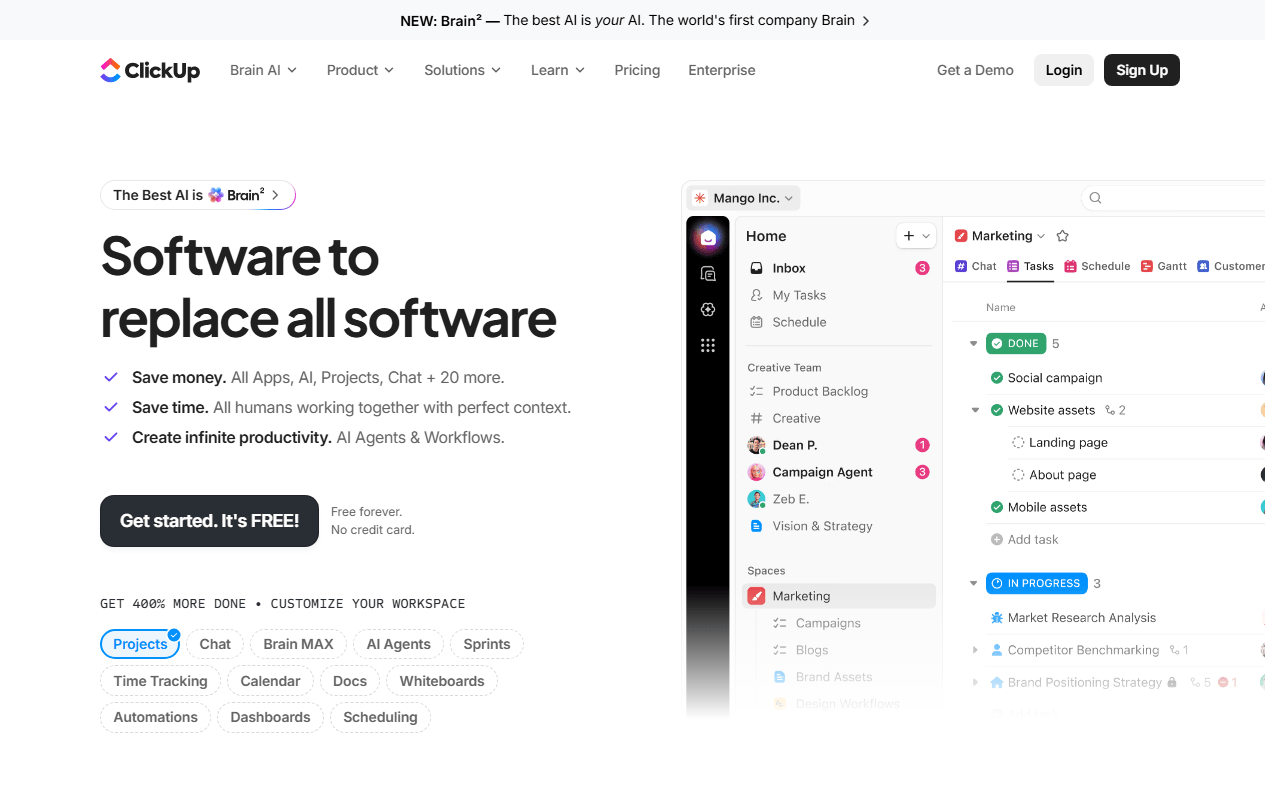
ClickUp homepage screenshot

ClickUp at a glance

Free plan
Yes
Free plan score
72/100Strong
Starting price
$7/month
Based in
United States
Company
ClickUp
Founded
2017

Our take

ClickUp's free plan is the most complete in project management, with unlimited tasks and members, though the 60MB storage cap and busy interface are real tradeoffs.

Built to be the only tab your team keeps open

ClickUp's ambition covers tasks, kanban boards, sprints, collaborative docs, calendar, and in-app video recording. You can view the same work as a list, a board, or a calendar, and switch without rebuilding anything.

Who actually ends up living in ClickUp

  • Teams that want boards, sprints, and docs in one place instead of three subscriptions
  • Startups that need to invite everyone without counting seats
  • People replacing Asana or Monday.com who refuse to pay per user for basics

Free Forever is real, and the priced tiers start at $7

ClickUp is freemium. As of July 2026, the Free Forever plan includes unlimited tasks, unlimited members, kanban boards, sprint management, collaborative docs, calendar view, 1 form, and two-factor authentication, but only 60MB of total storage. Unlimited ($7/user/month billed yearly) removes the storage cap and unlocks unlimited Gantt charts, custom fields, and native time tracking. Business ($12/user/month) adds 5,000 automations a month, dashboards, and sprint reporting.

60MB is the limit you hit first

  • 60MB of storage on the free plan runs out fast if you attach files to tasks
  • Gantt charts, most custom fields, and time tracking need a paid plan for real use
  • The interface packs a lot in; expect a week or two before it stops feeling busy
  • Performance can lag on very large workspaces

We would start here, with attachments elsewhere

If you want the widest free feature set without self-hosting anything, we'd start here. Keep attachments in Google Drive or Dropbox and the free plan holds up for a long time.

What ClickUp offers

  • Kanban boards
  • Agile & sprints
  • Time tracking
  • No user cap on free plan
  • App integrations
  • Mobile apps
  • Docs & wiki

Not included

  • Gantt & timeline
  • Automations
  • Self-hosting

ClickUp plans and pricing

Free Forever plan with unlimited tasks and unlimited members, but only 60MB of total storage

Free Forever

Free

Unlimited tasks and members, kanban, sprints, docs, calendar, 1 form

60MB total storage

Unlimited

$7/mo

Unlimited storage, Gantt charts, custom fields, and native time tracking

Price is per user, billed yearly

Business

$12/mo

Adds 5,000 automations a month, dashboards, and sprint reporting

Price is per user, billed yearly

As of July 2026. Check current pricing on the ClickUp pricing page.

ClickUp's free plan score

How good ClickUp's free plan really is, judged on four things and weighted into one number.

72/100

Strong

Unlimited members and unlimited tasks, squeezed into 60MB of storage.

Free plan generosity

82/100

Feature depth for the category

74/100

Freedom and honesty

62/100

What free users report

60/100

Scored July 2026. How we calculate the free plan score.

Frequently asked questions about ClickUp

Is ClickUp's Free Forever plan really free, or is it a trial?

It is a real free plan with no end date, no card and no member counting (as of July 2026). Nothing is branded and nobody is asked to upgrade at a deadline. The ceiling is storage rather than time, at 60MB for the whole workspace.

How much storage do you get on ClickUp's free plan?

60MB in total, shared across the entire workspace rather than per user or per file (as of July 2026). That is the tightest storage allowance in this category, and a handful of screenshots and PDFs attached to tasks will spend it. Teams who stay on free keep files in Google Drive or Dropbox and paste links into tasks.

Does ClickUp's free plan include sprints and docs?

Yes, both. Free Forever covers kanban boards, sprint management, collaborative docs, calendar view, 1 form and two-factor authentication (as of July 2026). No other free hosted plan in this category includes sprints and docs together.

Can you self-host ClickUp?

No. There is no self-hosted option on any plan, so your workspace lives on ClickUp's infrastructure (as of July 2026). If keeping project data on your own server is the requirement, Plane and OpenProject are the open source options we cover in this category.

What does the first paid ClickUp plan cost?

Unlimited is $7 per user per month billed yearly, and it removes the storage cap while adding Gantt charts, custom fields and native time tracking (as of July 2026). Business is $12 per user per month and adds 5,000 automations a month, dashboards and sprint reporting.

Latest ClickUp news

Changes that affect what you get for free: pricing, free plan limits, ownership, and whether the project is still maintained. Not every release.

We have not checked ClickUp's announcements yet. When we do, anything that changes the free plan or the price will show up here.

Reader reviews

What people who actually use ClickUp think of it.

No reviews of ClickUp yet. If you have used it, yours would be the first.

The useful part is the specifics: what you used it for, and where it got in your way.

Loading...