

Discover honest, community-driven software alternatives. Learn about our mission

Obsidian logo

Obsidian review

Free Markdown knowledge base that keeps every note as a plain file on your own disk.

Facts checked July 2026

Visit ObsidianSee alternatives
obsidian.md
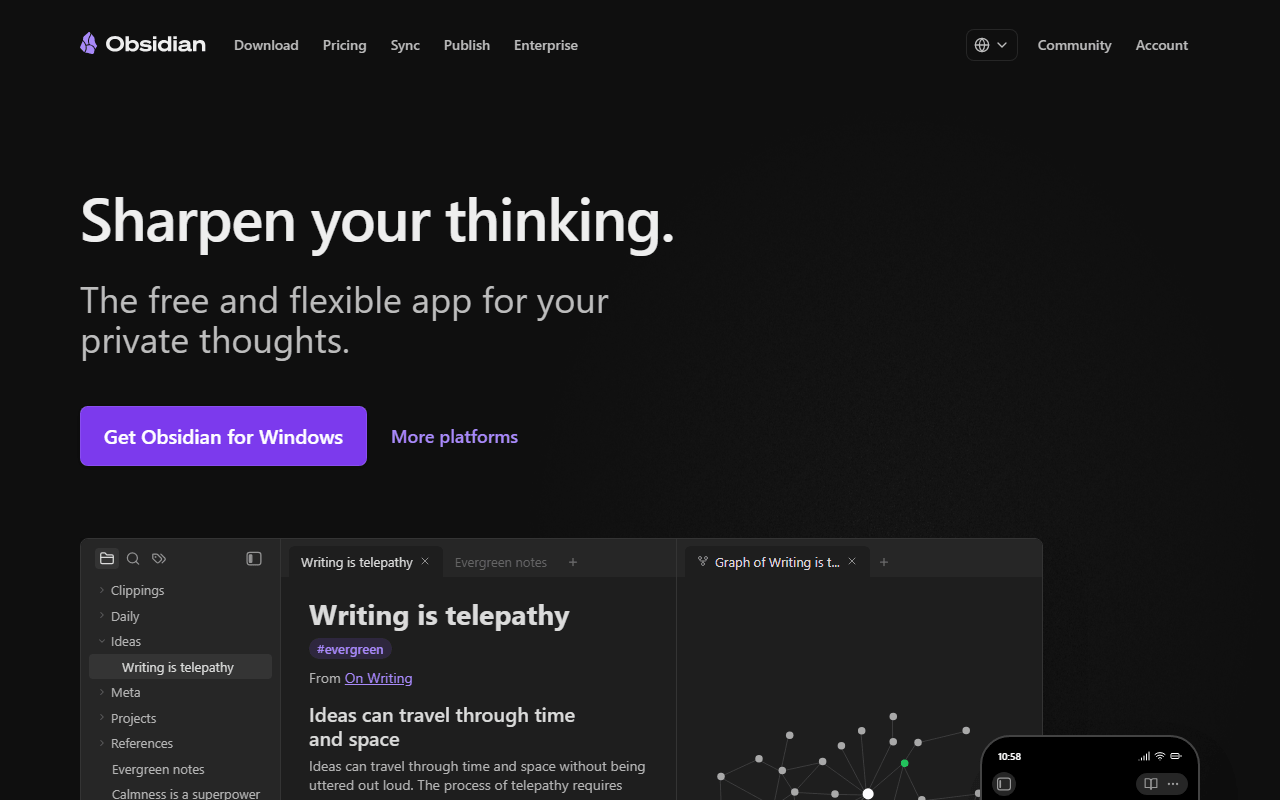
Obsidian homepage screenshot

Obsidian at a glance

Free plan
Yes
Free plan score
83/100Strong
Starting price
$4/month
Open source
Proprietary
Based in
Canada
Company
Dynalist Inc.

Our take

Obsidian is the safest free choice in this category because your notes are ordinary Markdown files in a folder, so the app can change its pricing and your notes stay readable in any text editor.

A folder of Markdown files, with an app on top

Obsidian is a note app that points at a folder on your disk and treats every Markdown file in it as a note. There is no database, no account required, and no sync unless you ask for it. You get wiki-style links between notes, automatic backlinks, a graph view, an infinite canvas, and a community plugin library with well over a thousand entries covering everything from Kanban boards to spaced repetition.

The plugin ecosystem is the part people underestimate. Most feature requests you would file against a cloud note app have already been solved by someone as a plugin, and installing one takes about fifteen seconds.

Who should be building a vault

  • Anyone building a long-term personal knowledge base they expect to still own in ten years
  • Writers and researchers who want their notes in files, not in someone's database
  • Developers and tinkerers who will actually use the plugin system
  • People who have been burned by a note app changing its pricing

The app is free; Sync, Publish and commercial use are priced

As of July 2026, the app is free for personal use with no limits at all: unlimited notes, unlimited vaults, every core feature, all plugins and themes, on desktop and mobile. Nothing is held back for a paid tier.

Money comes in three places. Obsidian Sync starts at $4 per user per month billed annually ($5 monthly) for 1 GB of storage and 1 month of version history, with Sync Plus at $8 per user per month billed annually for 10 GB and 12 months of history. Obsidian Publish is $8 per site per month billed annually. And if a company of two or more people uses Obsidian for work, each user needs a $50 per year commercial license. Students, faculty, and nonprofit staff get 40 percent off Sync and Publish.

The commercial license, and four more limits

  • The commercial license is easy to miss. Personal use is free, but team use at a company of two or more is not, and $50 per user per year is real money at scale
  • It is not open source, so you cannot self-host or fork it if the terms change
  • Real-time collaboration does not exist. Obsidian is a single-player app with sync, and shared vaults are not a substitute for co-editing a doc
  • The blank-start problem is real. Out of the box it is an empty folder, and the setup rabbit hole (themes, plugins, folder structures) eats a weekend if you let it
  • Free sync via iCloud or Dropbox works, but mobile file sync conflicts are a known annoyance, which is exactly what the paid Sync service is selling

We rank it first, and the one objection we accept

We rank Obsidian first because it removes the question every other tool here leaves open: what happens to my notes later. They are Markdown files in a folder, so the answer is nothing. The app being closed source is a fair objection, and if that matters to you Logseq or SiYuan is the better fit. For everyone else, Obsidian gives you the most capable free note app in this list with the lowest lock-in, as long as you check whether your use counts as commercial.

What Obsidian offers

  • Markdown notes
  • Local-first storage
  • Works offline
  • Cross-device sync
  • Backlinks & graph view
  • Web clipper
  • Mobile apps

Not included

  • Self-hosting
  • End-to-end encryption
  • Collaboration

Obsidian plans and pricing

The full app is free for personal use with no note, device, or feature limits. Nothing is gated behind a plan

Students, faculty, and nonprofit employees get 40 percent off Sync and Publish. Sync is optional: iCloud, Dropbox, Syncthing, or a Git repo all work with the free app.

Free (personal use)

Free

Every editor feature, plugins, themes, and unlimited notes on desktop and mobile

No sync service and no commercial-use rights

Sync Standard

$4/mo

Per user per month billed annually ($5 monthly), with end-to-end encrypted sync across devices

1 GB total storage, 1 month of version history

Sync Plus

$8/mo

Per user per month billed annually ($10 monthly)

10 GB storage (upgradable to 100 GB), 12 months of version history

Publish

$8/mo

Per site per month billed annually ($10 monthly), turns a vault into a public website

Commercial license

$50/yr

Required per user when a company of two or more people uses Obsidian for work

As of July 2026. Check current pricing on the Obsidian pricing page.

Obsidian's free plan score

How good Obsidian's free plan really is, judged on four things and weighted into one number.

83/100

Strong

The full app free forever for personal use, with sync and work use as the two things you pay for.

Free plan generosity

88/100

Feature depth for the category

92/100

Freedom and honesty

88/100

What free users report

60/100

Scored July 2026. How we calculate the free plan score.

Frequently asked questions about Obsidian

Is Obsidian really free?

Yes for personal use. The app has no note limit, no device limit, and no locked features. Sync ($4 per user per month billed annually) and Publish ($8 per site per month billed annually) are separate optional services, and a company of two or more people using Obsidian for work needs a $50 per user per year commercial license (as of July 2026).

Is Obsidian open source?

No. The app is proprietary and free to use. The plugin API, documentation, and many community plugins are open source, but the core editor is not, so you cannot self-host or fork it. Your notes are plain Markdown files, which is the practical protection here.

Can I sync Obsidian without paying?

Yes. Because a vault is just a folder, you can sync it with iCloud Drive, Dropbox, OneDrive, Syncthing, or a Git repository at no cost. The paid Sync service adds end-to-end encryption, per-note version history, and conflict handling that file sync tools handle poorly on mobile.

What happens to my notes if Obsidian shuts down?

You keep them. Notes are Markdown files with attachments in a normal folder on your disk. Any text editor, and most other note apps, can open them without an export step.

Latest Obsidian news

Changes that affect what you get for free: pricing, free plan limits, ownership, and whether the project is still maintained. Not every release.

Checked July 2026.

Reader reviews

What people who actually use Obsidian think of it.

No reviews of Obsidian yet. If you have used it, yours would be the first.

The useful part is the specifics: what you used it for, and where it got in your way.

Loading...