

Discover honest, community-driven software alternatives. Learn about our mission

ScreenFlow logo

ScreenFlow review

The Mac-only screen recorder and timeline editor, bought once for $199, with a watermark on every unlicensed export.

Facts checked July 2026

Visit ScreenFlowSee alternatives
telestream.net
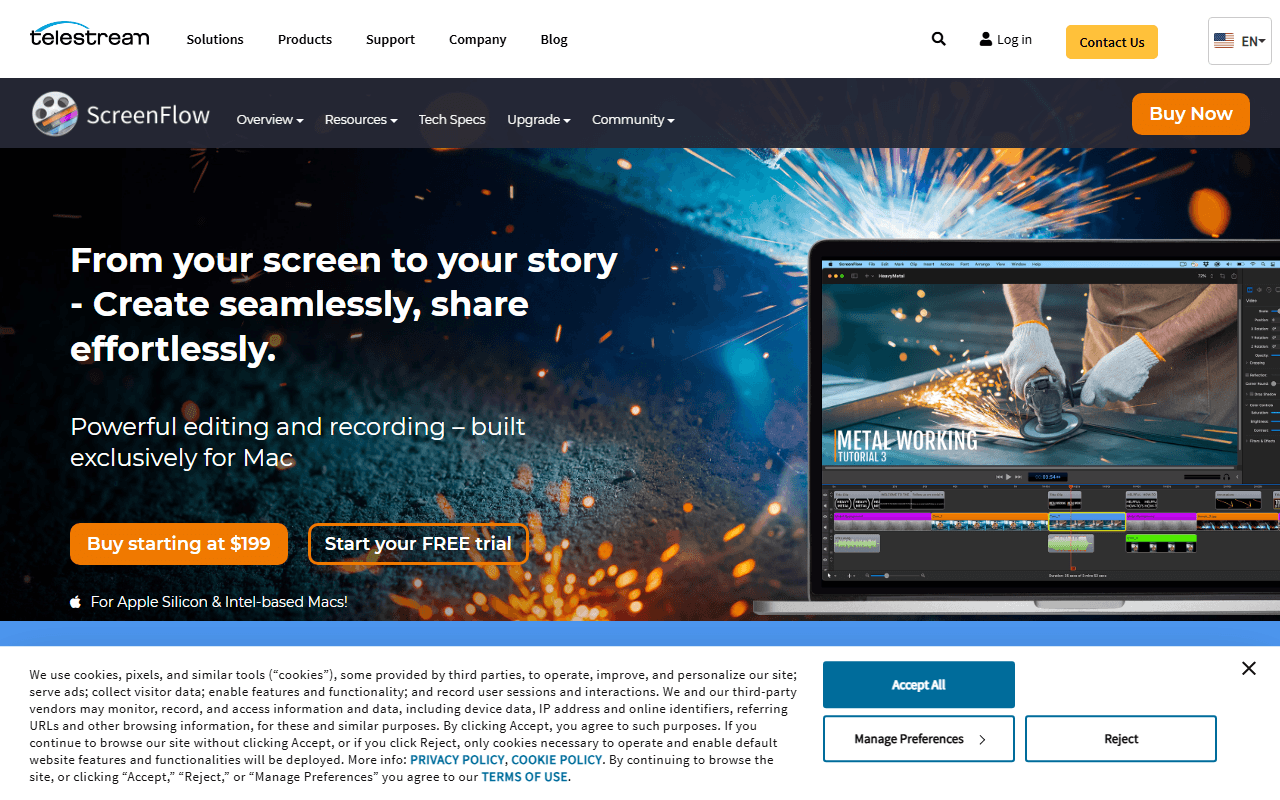
ScreenFlow homepage screenshot

ScreenFlow at a glance

Free plan
No
Free plan score
6/100Barely free
Starting price
$199 one-time
Open source
Proprietary
Based in
United States
Company
Telestream, LLC

Our take

Still the Mac screencasting default and still a one-time $199 purchase, though one-time quietly means paid upgrades, and the project went 21 months without a release before it came back.

The Mac screencasting default since 2008

ScreenFlow records your Mac screen, your camera, your microphone, your system audio and, over USB, a connected iPhone or iPad. All of it lands on a multi-track timeline where you add callouts, annotations, transitions, text, motion graphics, styles and templates, with a stock media library sitting inside the editor. It has shipped since February 2008, originally from Vara Software and later under Telestream, a video company in Nevada City, California.

For a long stretch this was simply what Mac people used to make a screencast, and the product still feels that way in use: quick to start recording, unhurried to edit, with nothing cloud-shaped in the way. What it is not is new, and that gets a section of its own further down.

Mac-only creators who make tutorials every week

  • Solo creators, course builders and YouTubers who produce screencasts regularly
  • Developer advocates recording product walkthroughs on a Mac
  • Anyone demoing an iOS app, since it captures a connected iPhone or iPad
  • People who would rather pay once than rent an editor by the month

No free plan: the price is $199, paid once

Telestream describes the unlicensed build as a FREE trial that is fully functional with no time limit. Read the rest of that sentence on its own overview page and the deal is clear: your exported movies will be watermarked. So there is no free plan here, only a complete demo you cannot ship anything out of.

A licence is $199 as a one-time purchase (as of July 2026) and includes self-help support only. Super Pak is $275 and adds the Stock Media Library for the first year. Super Pak + is $325 and adds Premium Support as well. Both of those extras are subscriptions underneath: $99 a year for the library, with renewals explicitly non-refundable, and $59 a year for Premium Support, which promises an email response within 8 business hours and 25% off future upgrades. Upgrading between major versions is charged too, at $79 from version 9 or 8 and $119 from version 7 through 4, while versions 1 to 3 get no upgrade path and buy new. If you have seen $149 or "starting at $169" quoted elsewhere, those numbers are stale. Telestream's own store says $199.

Five years on version 10, and four other limits

  • ScreenFlow has been on major version 10 since 22 June 2021, and there was a 21-month gap with no release at all between 10.0.10 in October 2023 and 10.5 in August 2025, spanning two macOS majors
  • macOS only, always has been, and no Windows build has ever existed
  • One-time purchase is not quite one-time: major-version upgrades cost $79 or $119, and versions 1 to 3 have to buy new at $199
  • The Super Pak bundle prices hide a $99 a year stock library whose renewals are non-refundable, so they are not a true one-time cost either
  • Human support is a $59 a year add-on, there is no education pricing, and Telestream recommends only the two newest macOS versions

Would we pay $199 in 2026? On a Mac, yes

ScreenFlow went quiet for nearly two years and then came back: 10.5 in August 2025, 10.5.1 in November 2025, and 10.5.2 in February 2026 with a fix for a macOS 26.2 crash. That is enough to say it is alive and tracking current Apple releases, and not enough to say it is moving fast, so anyone paying $199 should know they are buying a mature, slowly moving product. Its ratings look excellent, at Capterra 4.8 and G2 4.5 (both taken from search snippets in July 2026 because the sites blocked us), but they rest on roughly 21 and 55 reviews against Camtasia's 452 and 1,661, so read them as a small sample rather than a verdict. If you want the recording without the $199, the free ScreenFlow alternatives cover that half honestly, and our free video editors now cover the editing half, DaVinci Resolve included.

What ScreenFlow offers

  • Screen recording
  • Webcam overlay
  • Editing & trimming
  • Local-only recording
  • Annotation & drawing

Not included

  • Cloud hosting & share links
  • Transcription & captions
  • Self-hosting
  • Live streaming
  • GIF export

ScreenFlow plans and pricing

Telestream's own store lists $199 as the price of ScreenFlow (as of July 2026). The $149 and 'starting at $169' figures still quoted in third-party roundups are stale, so we use $199. Upgrades are paid: $79 from version 9 or 8, $119 from version 7, 6, 5 or 4, and versions 1 to 3 have no upgrade path at all and buy new at $199. There is no education pricing. Volume discounts exist behind a request link but the prices are not published.

Unlicensed version

Free

The whole application with no time limit, which Telestream markets as a FREE trial

Every exported movie is watermarked

ScreenFlow

$199 one-time

The licensed application as a one-time purchase, with free self-help support

Major-version upgrades are charged separately

ScreenFlow Super Pak

$275 one-time

ScreenFlow plus the Stock Media Library for the first year

The Stock Media Library renews at $99 a year and renewals are non-refundable

ScreenFlow Super Pak +

$325 one-time

ScreenFlow plus the Stock Media Library for the first year and Premium Support

The library renews at $99 a year and Premium Support at $59 a year after the first year

Stock Media Library

$99/yr

Royalty-free stock video, audio and images available inside the editor

Renewals are explicitly non-refundable

Premium Support

$59/yr

Email response within 8 business hours, plus 25% off future upgrades

As of July 2026. Check current pricing on the ScreenFlow pricing page.

ScreenFlow's free plan score

How good ScreenFlow's free plan really is, judged on four things and weighted into one number.

6/100

Barely free

A complete Mac editor with a watermark on every export, and $199 to remove it.

Free plan generosity35% of the score

5/100

Telestream markets the unlicensed build as a FREE trial, fully functional with no time limit, and in the same sentence says exported movies will be watermarked (as of July 2026). So there is no free output, only a complete demo. The only way past it is $199, and there is no free tier underneath that price to score.

Feature depth for the category25% of the score

7/100

The unlicensed build carries the whole product: the multi-track timeline, callouts, annotations, transitions, motion graphics, templates and iPhone capture. None of that survives the export, which watermarks the result, so free ends at a preview. This pillar scores what the free tier produces, and it produces nothing you can publish.

Freedom and honesty20% of the score

10/100

Telestream puts the watermark in plain words on its overview page, which is more honest than burying it, and that is most of what this score is. Beyond it, ScreenFlow is closed source and macOS only, with no self-hosting and no free local-only mode, and the escape is a $199 purchase whose major-version upgrades cost $79 or $119 later. The Super Pak bundles also sit on a $99 a year stock library whose renewals are explicitly non-refundable.

What free users report20% of the score

0/100

ScreenFlow has no free plan, so there is no population of free users to report anything and this pillar sits at the floor by definition. We hold review-site scores for it, but they rate people who paid $199, and borrowing a paid product's rating to describe a watermarked demo would be dishonest.

Scored July 2026. How we calculate the free plan score.

Frequently asked questions about ScreenFlow

Is ScreenFlow free?

No. Telestream calls the unlicensed build a FREE trial and it is fully functional with no time limit, but the same sentence on its own page says exported movies will be watermarked. Getting a clean export means buying a licence at $199 (as of July 2026).

Is ScreenFlow still being updated?

Yes, though slowly. Version 10.5.2 shipped on 12 February 2026 and its release notes fix a crash on macOS 26.2, so Telestream is chasing current Apple releases. The caveat is the gap before it: nothing shipped between 10.0.10 in October 2023 and 10.5 in August 2025, and the product has been on major version 10 since 22 June 2021.

Is ScreenFlow really a one-time purchase?

Mostly. The $199 is one payment with no subscription attached, but major-version upgrades cost $79 from version 9 or 8 and $119 from version 7 through 4, and versions 1 to 3 have no upgrade path and buy new. The Stock Media Library inside the Super Pak bundles is also $99 a year after the first year (as of July 2026).

Does ScreenFlow run on Windows?

No, and it never has. ScreenFlow is macOS only. It can record a connected iPhone or iPad screen over USB, but there is no iOS app and no Windows build has ever existed.

What do the Super Pak bundles add?

Super Pak is $275 and adds the Stock Media Library for the first year. Super Pak + is $325 and adds Premium Support on top. Both extras renew separately after year one, at $99 a year for the library and $59 a year for support, and library renewals are explicitly non-refundable (as of July 2026).

Is there an education discount for ScreenFlow?

No. Telestream's store lists no education pricing. Volume discounts exist behind a request link, but the prices are not published, so we cannot quote one.

Latest ScreenFlow news

Changes that affect what you get for free: pricing, free plan limits, ownership, and whether the project is still maintained. Not every release.

We have not checked ScreenFlow's announcements yet. When we do, anything that changes the free plan or the price will show up here.

Reader reviews

What people who actually use ScreenFlow think of it.

No reviews of ScreenFlow yet. If you have used it, yours would be the first.

The useful part is the specifics: what you used it for, and where it got in your way.

Loading...