

Discover honest, community-driven software alternatives. Learn about our mission

CapCut logo

CapCut review

The short-form editor most people already have, with 4K on the free tier and no price published anywhere on its own site.

Facts checked July 2026

Visit CapCutSee alternatives
capcut.com
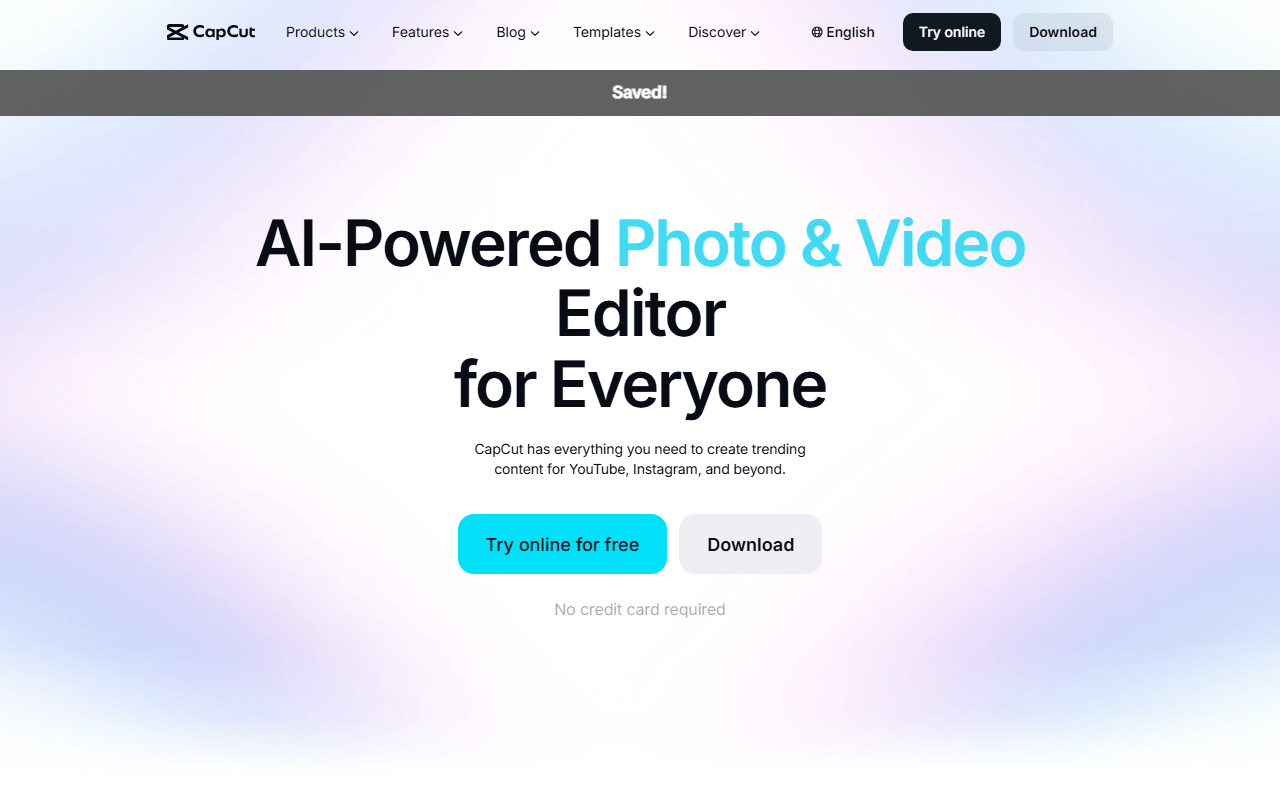
CapCut homepage screenshot

CapCut at a glance

Free plan
Yes
Free plan score
58/100Usable
Open source
Proprietary
Based in
Singapore
Company
Bytedance Pte. Ltd.

Our take

CapCut's free tier is more generous than roundups say, with watermark-free manual edits and 4K export available rather than paywalled. The catches are real: templates and premium assets stamp a watermark, and CapCut publishes no subscription price anywhere on its own website.

The editor most people already have on their phone

CapCut is the consumer editor that short-form video grew up around. It runs on iOS and Android, on Windows and macOS, and in a browser tab as CapCut Online, and the same project follows you between them once you are signed in. What it is good at is obvious within a minute: templates, auto captions, background removal, speed ramps and a very large library of effects, all arranged so that a first-time editor gets to a finished vertical video quickly.

It is on this list at number four rather than higher for two reasons that have nothing to do with the editing. It is proprietary, and it is the only entry here where we could not read a price, could not resolve ownership in one sentence, and had to quote a terms clause verbatim so you can make your own call.

There is also an iPad version, and we would not build any plan on it: CapCut describes it as a beta offering selected features as a limited-time free trial, and says outright that those features may become part of paid plans later.

  • Anyone making vertical video for TikTok, Reels or Shorts who wants captions and templates without learning an NLE
  • Phone-first editors, since the mobile app is the real product rather than a companion
  • People who want a browser editor with a proper timeline and do not want to install anything
  • Not agencies or in-house teams handling client footage, who should read the user content clause below first
  • Not Linux users, who have no build at all

Nobody outside the app can read a CapCut price

CapCut has a free tier, a Standard tier, a Pro tier and Teams, and we can tell you what each one adds but not what any of them costs. capcut.com/pricing returns a 404. CapCut's own help article says the price varies by region, device and promotion, and that to see one you must sign into CapCut Online and click Upgrade, or open the desktop app, or look in the mobile app's Me section.

We are not going to fill that gap with a number from a roundup. The only figure CapCut prints anywhere on its own site is for Teams, and even that is hedged: typical starting prices range from $15-$30 per seat per month when billed annually. Teams can only be bought and managed in CapCut Online, not in the desktop or mobile apps.

Two other pricing facts are worth carrying. Standard is a paid budget tier introduced in the March 2026 repackaging, not the free plan, whatever its name suggests. And that repackaging raised Pro's AI points from 550 to 1200 and its cloud storage from 100 GB to 1 TB, while stating that previous pricing is no longer available to new subscribers, still without printing a figure.

4K is on the free tier, with a caveat CapCut prints itself

Most lists tell you CapCut free stops at 1080p. CapCut's own documentation says otherwise. Its export help page lists 1080p, 2K and 4K on the web version, 2K (2560x1440) and 4K (3840x2160) up to 60 fps on desktop, and 720p through 4K on mobile depending on the device. A separate help article specifically attributes missing 2K and 4K options to project settings or system limitations, and says in its own words that this is not a missing feature.

Now the other half, from the same export page: free accounts may face watermarks or bitrate limits on 4K exports, while Pro subscribers get unrestricted 4K. So the accurate statement is that 4K exists on free and may not come out clean, which is neither "4K is free" nor "free is capped at 1080p". If a clean 4K master is the deliverable, test one before you promise it.

Templates, end cards and the limits nobody mentions

The free tier is generous on the timeline and gated on assets, and that is the shape of every limit worth knowing. Edit manually with your own clips, music, text and effects and the export carries no watermark. Reach for a template, an advanced effect or a premium stock element and the export does. CapCut also appends a short ending clip with its own logo, which you have to scroll to on the timeline and delete before you export, and it is easy to miss.

Signing in is required for AI features and anything cloud-backed, and we could not confirm whether a purely local mobile edit exports without an account at all. Availability is the other limit: CapCut's terms say the services may not be available in all jurisdictions, some Pro and AI features are geo-blocked with an in-product message, and on desktop CapCut says those features are simply disabled silently with no error shown. CapCut publishes no country list, so neither do we.

Two owners, one clause, and our call on both

Ownership needs two sentences. Outside the United States, the contracting entity in CapCut's live terms, last updated 15 April 2026, is Bytedance Pte. Ltd., a Singapore company registered at 1 Raffles Quay. For users in the United States the same URL serves a different document and the contracting entity is TikTok USDS Joint Venture LLC, announced on 23 January 2026, with ByteDance holding 19.9% alongside Silver Lake, Oracle and MGX at 15% each. "Owned by TikTok" is wrong on both counts.

The user content clause deserves the same care. CapCut's Trust Center says all user-generated content you create on the platform belongs to you, and that it does not use your content or likeness commercially without consent. The live terms say that by submitting user content you grant the company and its affiliates a non-exclusive, royalty-free, transferable, sub-licensable, perpetual and worldwide licence to use it, along with rights to your username, image and likeness and to sound recordings. When this went viral in 2025, CapCut responded that the June 2025 update did not change the user-generated content section, and it did not: the earlier 5 March 2024 version already said perpetual and irrevocable. So the story is not a new grab, it is a broad standing licence that was always there.

Our call: CapCut free is a better deal than its reputation, and it is the fastest route from footage to a finished social video that exists. Use it for your own content. For client work, or for anything where a perpetual sub-licensable content licence would be a problem, edit in Kdenlive or DaVinci Resolve instead, and see our free video editing picks for the rest.

What CapCut offers

  • Multi-track timeline
  • 4K export
  • Colour grading
  • Audio mixing
  • Works in the browser

Not included

  • Watermark-free exports
  • Motion tracking
  • Subtitles and captions
  • Proxy editing
  • Hardware acceleration
  • Windows, macOS and Linux
  • Open source

CapCut plans and pricing

Free for manual editing with no watermark on your own clips, music and text, and 4K export is available rather than paywalled. Templates and premium assets add a watermark, CapCut appends a logo end card you must delete, and free 4K may be watermarked or bitrate-limited

capcut.com/pricing returns a 404 and CapCut's help centre states that pricing varies by region, device and promotion and that prices are only shown once you are signed into the product. We therefore quote no Pro or Standard price at all, and omit a starting price entirely, rather than repeat figures that only exist in third-party roundups. In the March 2026 repackaging CapCut said AI points rose from 550 to 1200 and cloud storage from 100 GB to 1 TB, and that previous pricing is no longer available to new subscribers, without printing any figure

Free

Free

Manual editing exports without a watermark, and 2K and 4K export options appear on web, desktop and mobile depending on the device

CapCut's own help centre states that free accounts may face watermarks or bitrate limits on 4K exports. Templates, advanced effects and premium stock add a watermark, and an auto-appended CapCut logo end card has to be scrolled to and deleted before export

Standard

Free

A paid budget tier introduced in the 2026 repackaging, described by CapCut as being for editing enthusiasts. It is not the free tier

CapCut publishes no price for it on its own website, so we do not quote one

Pro

Free

Adds unlimited premium templates and commercial-use assets, team templates, brand libraries and review tools, cross-platform editing, up to 1 TB of cloud storage and the advanced AI tools including camera tracking, auto captions and AI avatars

No price is published on capcut.com. A 7-day Pro trial is promoted, and Pro features are silently disabled in some regions

Teams

Free

The multi-seat plan, which CapCut says can only be purchased and managed through CapCut Online, not in the desktop or mobile apps

The only figure CapCut publishes anywhere on its own site, in its own hedged wording: typical starting prices range from $15-$30 per seat per month when billed annually

As of July 2026. Check current pricing on the CapCut pricing page.

CapCut's free plan score

How good CapCut's free plan really is, judged on four things and weighted into one number.

58/100

Usable

Watermark-free manual edits and 4K for nothing, under a perpetual licence over what you upload.

Free plan generosity

72/100

Feature depth for the category

66/100

Freedom and honesty

32/100

What free users report

50/100

Scored July 2026. How we calculate the free plan score.

Frequently asked questions about CapCut

Does CapCut put a watermark on free exports?

Only sometimes, and the rule is about what you use rather than what you pay. CapCut's own help centre says that when you edit manually, adding your own clips, music, text and effects, you can export without any watermark. Templates, certain advanced effects and premium stock elements do add one, and CapCut also appends a short ending clip with its logo that you have to scroll to and delete yourself (as of July 2026).

Can I export 4K on CapCut without paying?

Yes, with a caveat CapCut prints itself. Its export help page lists 4K on web, desktop and mobile, and a separate article blames missing 2K and 4K options on project settings or system limitations rather than on your subscription. The same export page then says free accounts may face watermarks or bitrate limits on 4K exports while Pro subscribers get unrestricted 4K. So 4K is available on free, but not guaranteed to be clean (as of July 2026).

How much does CapCut Pro cost?

We cannot tell you, and neither can CapCut's website. capcut.com/pricing returns a 404, and CapCut's own help article says pricing varies by region, device and promotion and that you must sign in and click Upgrade to see a figure. The only number it publishes anywhere is for Teams, in its own hedged wording: typical starting prices range from $15-$30 per seat per month when billed annually. Every fixed monthly figure you will read elsewhere is roundup-sourced, so we omit it.

Who owns CapCut?

It depends where you are, and it is not TikTok. Outside the United States the contracting entity in CapCut's live terms (last updated 15 April 2026) is Bytedance Pte. Ltd., a Singapore company registered at 1 Raffles Quay. For users in the United States the same URL serves different terms, and the contracting entity is TikTok USDS Joint Venture LLC, announced on 23 January 2026, in which ByteDance holds 19.9% alongside Silver Lake, Oracle and MGX at 15% each.

Does CapCut claim rights over videos I make?

You keep ownership, and you also grant a wide licence. CapCut's Trust Center says all user-generated content you create belongs to you. The live terms of 15 April 2026 say that by submitting user content you grant the company and its affiliates a non-exclusive, royalty-free, transferable, sub-licensable, perpetual and worldwide licence to use it, extending to your username, image and likeness and to sound recordings. Both statements are true at once, which is the part worth understanding before you upload client work.

Is CapCut available everywhere?

No. CapCut's terms say the services, in full or in part, may not be available in all jurisdictions, for all devices or in all languages, and its help centre documents an in-product error reading that Pro features are not available in your country or region. On desktop there is no error at all: CapCut says the app simply disables Pro features silently when you are geo-blocked. CapCut publishes no country list, so we will not name countries.

Latest CapCut news

Changes that affect what you get for free: pricing, free plan limits, ownership, and whether the project is still maintained. Not every release.

We have not checked CapCut's announcements yet. When we do, anything that changes the free plan or the price will show up here.

Reader reviews

What people who actually use CapCut think of it.

No reviews of CapCut yet. If you have used it, yours would be the first.

The useful part is the specifics: what you used it for, and where it got in your way.

Loading...