Free alternatives to Miro
Miro's free plan gives you 3 editable boards, and a team doing real work fills those in the first week. Upgrading means $8 per member per month billed yearly (as of July 2026), which adds up fast when every workshop participant needs a seat. If your team mostly sketches diagrams and talks, free tools cover that without the board countdown.
Facts checked as of July 2026Read our Miro review
Jump to an alternative



Excalidraw
Best Free Alternative ToMiroFree live collaboration with no 3-board cap, end-to-end encrypted, and open at excalidraw.com before Miro's login page has loaded
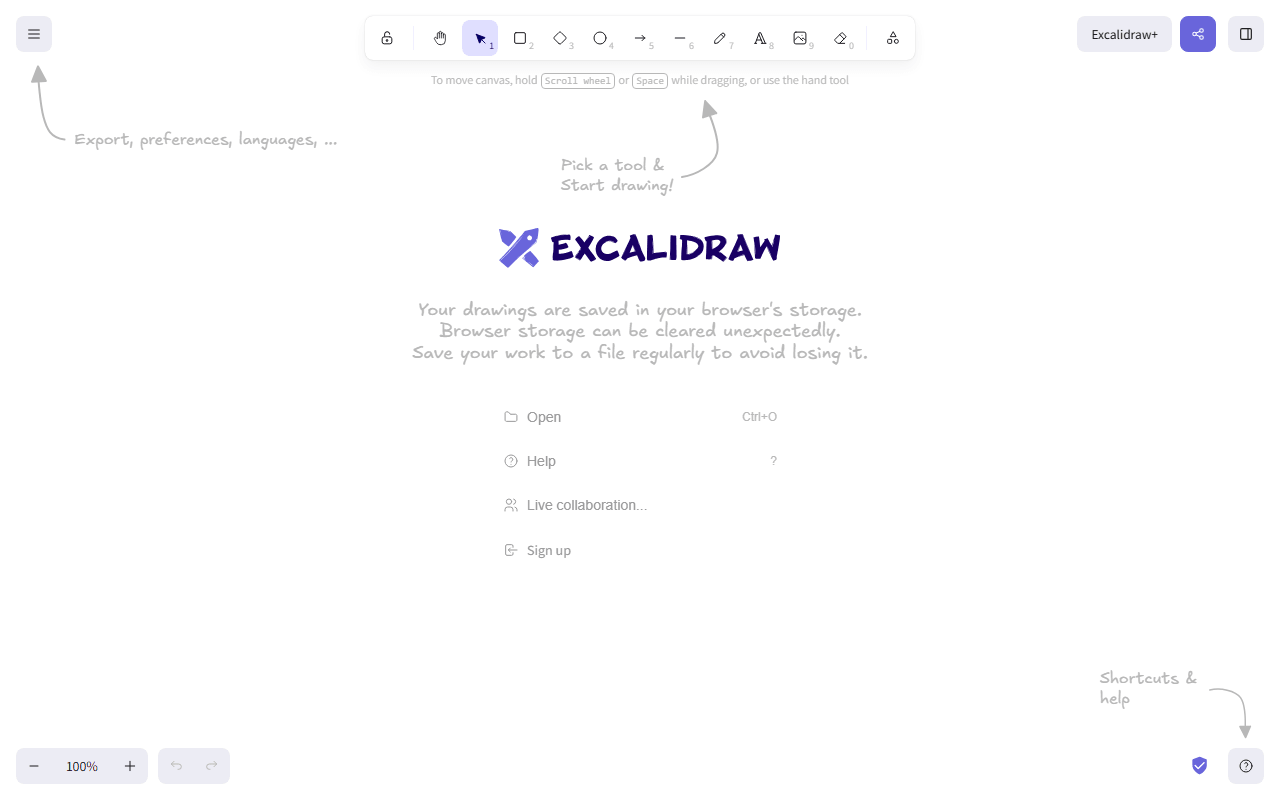
Excalidraw is the fastest exit from the 3-board cap: an open source whiteboard with no board limit, no account, and live sessions that are end-to-end encrypted. You lose Miro's facilitation toolkit and keep the part most teams actually use, which is drawing together on an infinite canvas. The full editor is free; Plus at $6 per user per month adds cloud storage and folders.
- Free plan, paid from $6/month (as of July 2026)
- Czech Republic
- Open source (MIT)
 Czech Republic
- Best for:
- Teams that mostly sketch diagrams together and hit Miro's 3-board wall
- The catch:
- The free app keeps one scene in your browser storage, so export files you want to keep.
Compared to Miro
- Advantage: No board cap; Miro's free plan stops at 3 editable boards
- Advantage: Collaborators join with a link, no account or paid seat required
- Advantage: End-to-end encrypted sessions, which Miro does not offer
- Advantage: MIT licensed and free to self-host
- Tradeoff: No template library, voting, timers, or workshop facilitation tools
- Tradeoff: One locally saved scene on the free app; a real archive needs Plus at $6 per user per month
No account, no published board limits, and a cleaner drawing style than Excalidraw if sketchy is not your thing
tldraw gives you an unlimited free whiteboard with cleaner, straighter output than Excalidraw's sketch style. There are no published board or collaborator limits as of July 2026, and boards share with a link. The free app is the public face of a commercial SDK, so it is polished and actively developed rather than a side project waiting to be monetized.
- Completely free (as of July 2026)
- United Kingdom
 United Kingdom
- Best for:
- Unlimited free whiteboarding with a tidier look than hand-drawn sketching
- The catch:
- It is a canvas, not a workshop platform: no voting, timers, or template library.
Compared to Miro
- Advantage: No board cap or account requirement, against Miro's 3 editable boards
- Advantage: Loads in about a second; you are drawing before Miro's dashboard has rendered
- Advantage: Cleaner default look than most free whiteboards
- Tradeoff: No facilitation features or integrations with Jira and Slack
- Worth knowing: Feature direction follows SDK customers, not whiteboard users
- Tradeoff: Source-available but not open source, so no free self-hosting
Free without limits for the structured flowcharts and architecture diagrams many teams actually build in Miro
A lot of whiteboarding in Miro is actually structured diagramming, and that is draw.io's specialty. Flowcharts, AWS and network architecture, UML, and org charts are all free with no account, no file limits, and proper shape libraries. Files save to your own disk, Google Drive, or OneDrive, so nothing has to touch draw.io's servers.
- Completely free (as of July 2026)
- United Kingdom
- Open source (Apache-2.0)
- Best for:
- Flowcharts and architecture diagrams that need to be correct rather than pretty
- The catch:
- The interface is dense and dated, and real-time co-editing is clunky next to Miro.
Compared to Miro
- Advantage: Completely free with no board or file limits
- Advantage: Deeper shape libraries for AWS, UML, and network diagrams than Miro
- Advantage: Files stay on your own storage, useful in security-conscious environments
- Advantage: Apache 2.0 licensed and free to self-host
- Tradeoff: Live co-editing only works through shared storage like Google Drive, and it is clunky
- Tradeoff: No workshop features, and the interface shows its age next to Miro
Whiteboards included in Canva's free tier, handy if your team already makes graphics there
Canva's free tier includes whiteboards alongside its design tools, with unlimited designs and 5GB of storage as of July 2026. If your team already builds social posts or decks in Canva, whiteboarding there costs nothing extra and skips a new login. It is more template-driven and less structured than Miro's canvas.
- Free plan, paid from $144/year (as of July 2026)
- Australia
 Australia
- Best for:
- Teams already in Canva who need occasional whiteboards without a new tool
- The catch:
- Whiteboarding is a side feature, and boards stay locked in Canva's format with no editable export.
Compared to Miro
- Advantage: No 3-board cap; whiteboards count as regular free designs
- Advantage: Template library and design assets available inside your boards
- Advantage: One tool for graphics and whiteboards if your team is already there
- Tradeoff: Facilitation tools are thin next to Miro's voting, timers, and frames
- Tradeoff: No editable export out of Canva's format
FigJam gives you 3 free boards with tight design-file integration if your team already works in Figma
FigJam is Figma's whiteboard, and the free Starter plan includes 3 FigJam files, which is the same shape of cap Miro has. The reason to pick it is integration: you can move from a brainstorm to real mockups without switching tools. As of July 2026 that design-file connection is FigJam's real edge over the other free boards here.
- Free plan, paid from $16/month (as of July 2026)
- United States
 United States
- Best for:
- Teams already designing in Figma who want brainstorms next to their mockups
- The catch:
- You are trading Miro's 3-board cap for Figma's 3-file cap, not escaping it.
Compared to Miro
- Advantage: Whiteboards connect directly to Figma design files and components
- Advantage: Familiar interface if your team already uses Figma
- Worth knowing: Covers workshop basics like stamps, voting, and timers, close to Miro parity
- Tradeoff: Still capped: 3 FigJam files on the free Starter plan
- Tradeoff: Removing the cap means Figma seat pricing, from $3 to $16 per seat per month
When your Miro boards are really early product mockups, you get a free open source design tool instead of sticky notes
Penpot fits when your Miro boards are really early product mockups wearing sticky notes. Instead of drawing rectangles that pretend to be screens, you get a real open source design tool with components and prototyping, free for up to 8 editors with unlimited files as of July 2026. Treat it as an upgrade path rather than a whiteboard swap.
- Free plan, paid from $7/month (as of July 2026)
- Spain
- Open source (MPL-2.0)
 Spain
Spain- Best for:
- Turning wireframe-shaped Miro boards into actual free design files
- The catch:
- It is not a whiteboard; there are no sticky notes, voting, or facilitation tools.
Compared to Miro
- Advantage: Unlimited files free, against Miro's 3 editable boards
- Advantage: Real design and prototyping tools instead of canvas shapes
- Advantage: Open source and self-hostable, with no per-member pricing to outgrow
- Tradeoff: No workshop or facilitation features at all
- Tradeoff: Steeper learning curve than dropping shapes on a Miro board
How to choose
Match the tool to what your boards actually contain. Freehand sketches and quick diagrams point to Excalidraw or tldraw, and picking between them is mostly a style call: sketchy versus tidy. Structured flowcharts and architecture diagrams are draw.io's home turf. If you run facilitation-heavy workshops with voting and timers, no free tool matches Miro there yet, and paying $8 per member for Starter may honestly be the right call.